
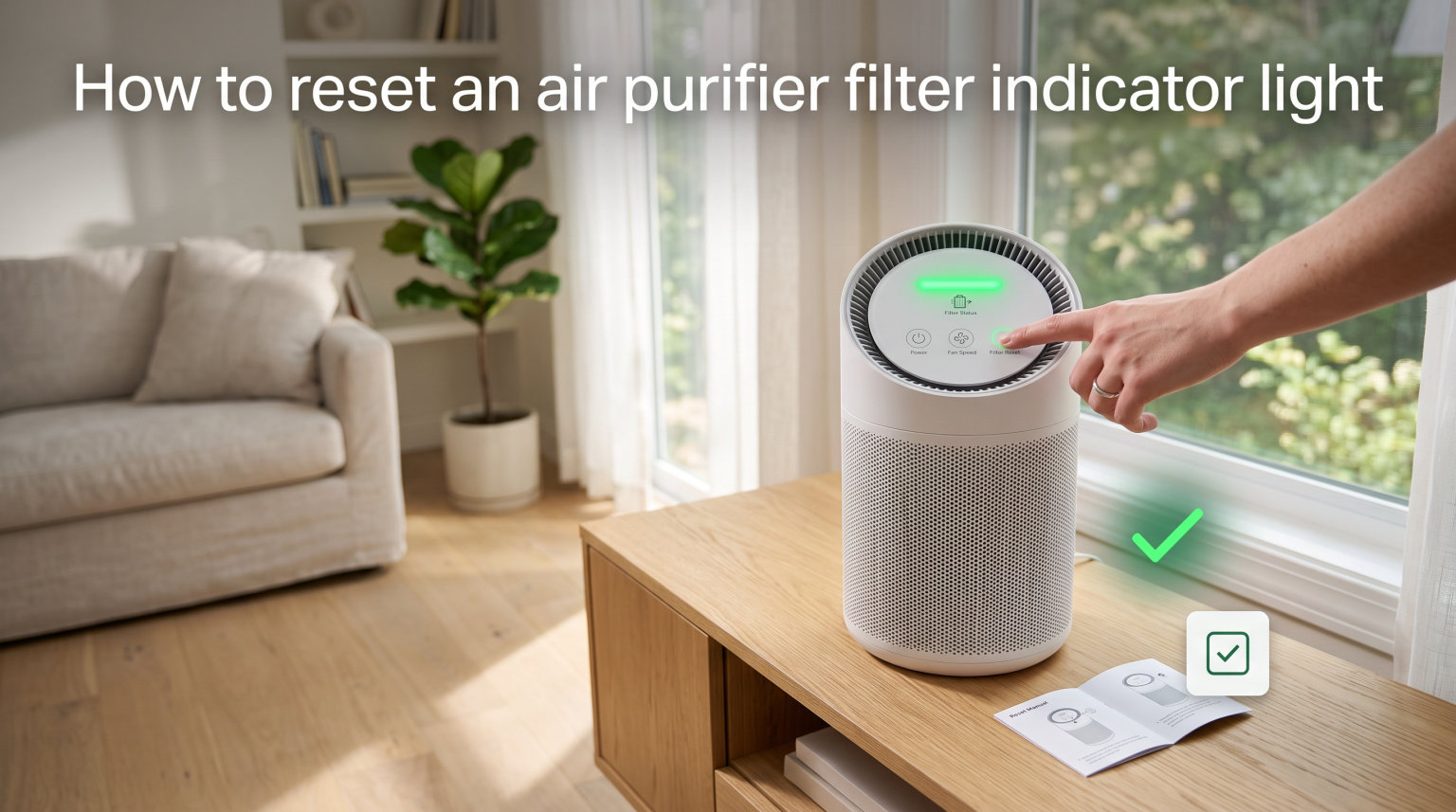
When that stubborn red light refuses to switch off after you just installed a fresh filter, it’s frustrating. I’ve stood in my living room holding down a random button, wondering if I was doing something wrong — and plenty of other people have too. Learning how to reset an air purifier filter indicator light is the final, and often most confusing, step in the filter replacement process.
Here’s the thing most people don’t realize: your air purifier tracks filter usage with a simple internal timer, not a smart sensor that measures actual dirt buildup. That timer needs a manual reset every time you swap in a new filter. Otherwise the indicator light stays on forever, nagging you about a problem that no longer exists.
This guide walks you through the exact reset steps for every major brand — Levoit, Dyson, Honeywell, Blueair, and Coway. I’ve pulled instructions from manufacturer manuals, Reddit threads, and real user experiences so you get the complete picture. By the end, you’ll know exactly which button to press, how long to hold it, and what to try when the light just won’t go away.
Table of Contents
What the Filter Indicator Light Actually Means
The filter indicator light is a countdown timer, not a dirt detector. Your air purifier counts the hours the unit has been running and triggers the light after a preset interval — typically every 6 to 12 months of accumulated use. It does not inspect your filter or measure how clogged the material is.
That means the light comes on at the same time whether your home is dusty or spotless. The timer tracks operating hours and simply assumes the filter is spent once that window closes.
This design explains why the light sometimes appears right after a power outage. A sudden loss of power can corrupt the timer’s memory and leave the indicator stuck in the “on” position. It also explains why you have to manually reset it — the unit has no way of knowing you installed a new filter unless you tell it directly.
Most brands use red or orange for “replace now” and blue or green for “all clear.” A flashing light on some models, like certain Dyson units, signals a different issue than a solid one. Pay attention to the pattern because it changes the fix.
The bottom line: the light is a reminder based on hours, not evidence of an actual problem with your air. Once you reset the timer after a filter change, it starts counting from zero again.
How to Reset an Air Purifier Filter Indicator Light: Universal Steps
These five steps work for the majority of models across all brands. Button names and hold times vary slightly, but the core process is the same everywhere.
Step 1 — Replace the filter first. Unplug the unit, remove the old filter, and install the new one before doing anything else. Never reset the indicator before swapping the filter — the timer will start counting from zero on an old, dirty filter, and you’ll lose track of when the next change is actually due.
Step 2 — Plug in and power on. This is where most people get stuck. The reset button only works when the purifier is powered ON and actively running, not when it’s in standby or unplugged. I’ve seen dozens of forum posts from frustrated users who held the button with the unit off and got nowhere.
Step 3 — Find the reset or filter button. Look for a button labeled “Filter,” “Reset,” “Check Filter,” or an icon that looks like a filter or bars. On some models, the power button itself doubles as the reset.
Step 4 — Press and hold for 3 to 15 seconds. Most brands need 3 to 5 seconds, but Blueair requires a longer 15-second hold. Keep holding until the indicator light turns off, flashes, or changes color.
Step 5 — Confirm the reset. The light should switch off, change from red to blue or green, or blink briefly before going dark. If nothing happens, try holding longer — real-world users often need 7 to 10 seconds instead of the 3 seconds listed in the manual.
The universal rule: unit ON, find the button, hold until the light responds. Brand-specific details follow below.
How to Reset Each Brand’s Filter Indicator Light
Every manufacturer puts the reset button in a slightly different spot and assigns a different name to it. Here are the exact procedures for the five most popular air purifier brands.
How to Reset a Levoit Air Purifier Filter Light
Levoit is one of the most widely owned brands, and the reset procedure varies by model line. Here’s how to reset a Levoit filter light for the most common units.
Levoit Core 300 and Core 400S: With the unit powered on, find the “Check Filter” button on the control panel — it has a small filter icon. Press and hold it for 3 to 5 seconds. The red light will turn off, confirming the reset worked.
Levoit Vital 100 and Vital 200S: Locate the filter reset button on the touch panel. Hold it for about 3 seconds until the indicator light goes out. Some users report needing up to 5 seconds on the Vital series, so be patient.
Levoit LV-PUR131 (older model): This one uses a physical reset hole instead of a standard button. Straighten a paperclip, insert it into the small pinhole on the control panel, and press gently until the light resets.
Levoit smart models (Wi-Fi enabled): You can reset through the VeSync app. Open the app, select your device, go to Device Settings, and look for “Filter Reset” or “Reset Filter Life.” This is handy if the physical button is unresponsive.
Common Levoit issue: If the red light stays on after holding for 5 seconds, unplug the unit for 60 seconds, plug it back in, power on, and try again. Several Reddit users on r/AirPurifiers confirmed this power cycle fixes stubborn resets on Levoit Core models. One user put it simply: “Hold down the red filter button until the red goes away — that’s how you reset it.”
How to Reset a Dyson Air Purifier Filter Indicator
Dyson air purifiers use a slightly different system. The filter life is tracked digitally, and the reset happens through the main control button on the unit’s base.
Dyson TP series and HP series (most models): With the unit plugged in and on standby, press and hold the ON/OFF or standby button on the base for 5 to 10 seconds. The display will show a filter icon, and the notification clears once the reset succeeds.
Dyson TP01 (older tower model): Hold the power button on the unit’s base for about 5 seconds. There’s no display on the TP01, so watch for the filter light to turn off as your confirmation signal.
Dyson TP04 and newer models: The LCD screen displays a “Filter” notification when the filter is due. Press and hold the standby button — the same one you use to turn the machine on — for 5 or more seconds until the notification disappears from the screen.
Dyson Link app (Wi-Fi models): Open the Dyson Link app, select your machine, tap Settings, then “Filter Life,” and choose “Reset.” This is often easier than hunting for the physical button on the base.
Common Dyson issue: “Why does my Dyson keep saying the filter needs cleaning?” — On some Dyson models, the notification means the filter needs cleaning, not full replacement. Dyson uses washable filters on several models. Remove the filter, vacuum or rinse it, let it dry completely for 24 hours, reinstall, then perform the reset. The flashing filter light typically clears after that.
How to Reset a Honeywell Air Purifier Filter Light
Honeywell keeps the reset process simpler than most brands. The hold time is shorter — about 2 seconds on the majority of models.
Most Honeywell air purifiers: With the unit powered on, locate the filter reset button on the control panel. It’s usually the same button that lights up when the filter needs changing. Press and hold it for approximately 2 seconds until the light turns off. That’s the entire process.
Honeywell HPA series (HPA100, HPA200, HPA300): The filter check light sits on the top control panel. Press and hold the “Filter Reset” or “Check Filter” button for 2 to 3 seconds. The light will blink and then go dark.
Honeywell Insight and Bluetooth-enabled models: Some newer Honeywell models let you reset through the Honeywell Air Comfort app. Open the app, find your device, go to “Filter Settings,” and select “Reset Filter.”
Common Honeywell issue: On some models, the filter light sits near other indicator lights on the same panel. Make sure you’re holding the correct button — the one with the filter icon, not the air quality or timer button. Holding the wrong button for 2 seconds does nothing, which leads people to think the reset is broken.
How to Reset a Blueair Air Purifier Filter Indicator
Blueair’s reset procedure is unique because it requires a longer hold time — 15 seconds on most models. This trips up plenty of people who expect the standard 3-second hold and give up too early.
Blueair Blue Pure 211, 211+, and 211i: With the unit powered on, press and hold the Fan button for 15 seconds. The red filter indicator light will turn off once the reset completes.
A helpful tip from Reddit: one user on r/Blueair reported that pressing the button with one finger rather than your whole palm makes the difference. The touch sensor can misread a full-hand press. Hold steady with a single fingertip for the full 15 seconds.
Blueair HealthProtect and DustMagnet series: Press and hold the filter button on the touch display for about 10 seconds. The indicator will flash and then reset to its normal state.
Blueair app (Wi-Fi models): Open the Blueair app, select your device, navigate to Settings, and find “Reset Filter.” This works for smart-enabled models and is faster than holding the button for 15 seconds.
Common Blueair issue: If the red light persists after 15 seconds, release the button, wait 5 seconds, then try again. Some users report needing two full attempts to get the reset to register. Count the seconds out loud if you have to — 15 seconds feels longer than you think.
How to Reset a Coway Air Purifier Filter Light
Coway’s reset is straightforward, but the button location varies between the Mighty line and the larger Airmega models.
Coway Mighty (AP-1512HH): With the unit powered on, press and hold the “1/2” filter indicator button — the small button with “1/2” labeling — for about 5 seconds. The indicator light will turn off, confirming the filter timer has been reset.
Coway Airmega series (200M, 300S, 400S): Find the filter reset button on the control panel or smart display. Press and hold for 5 seconds until the filter indicator clears. On the smart models (300S and 400S), you can also reset through the Coway mobile app under device settings.
Coway Airmega Icon and newer models: The touch display has a dedicated filter reset option. Tap and hold the filter icon on the screen for 3 to 5 seconds until the indicator clears.
Common Coway issue: The Coway Mighty has two separate filter indicators — one for the pre-filter (labeled “1”) and one for the HEPA filter (labeled “2”). Make sure you’re resetting the correct one, or reset both to be safe. Each indicator tracks a different filter’s lifespan independently.
Troubleshooting: When the Reset Doesn’t Work
Sometimes the reset button does nothing. Here’s what to try, in order of how often these fixes work based on forum reports and manufacturer support pages.
The light stays on after holding the button. Try holding longer. Manuals typically say 3 seconds, but forum users routinely report needing 7, 10, or even 15 seconds. Count slowly and hold until the light responds. This is the single most common fix across every brand.
The button doesn’t seem to do anything. Make sure the unit is powered ON and plugged in. The reset function only works when the purifier is actively running, not in standby mode. This trips up more people than any other issue — I’ve seen it mentioned in forum threads for Levoit, Dyson, Blueair, and Coway alike.
The light comes back on immediately after reset. You may have an aftermarket filter that the unit doesn’t recognize. Some third-party filters lack the RFID chip or magnetic strip that certain models use to confirm a genuine filter is installed. The unit thinks no new filter is present and re-triggers the warning. Try an OEM filter if this keeps happening.
The light came on after a power outage or surge. Power interruptions can corrupt the internal timer’s memory. Do a full power cycle: unplug the unit, wait 60 seconds to let the capacitors fully drain, plug it back in, power on, and attempt the reset again. This clears residual charge that can interfere with the timer reset.
Aftermarket filter fit issues. Cheaper, non-OEM filters may not seat properly in the filter compartment. When the filter doesn’t lock into place, the magnetic reed switch or contact sensor can’t detect the new filter. This keeps the indicator light on even after a successful reset. Remove the filter, check the seating, reinstall firmly, and try the reset again.
None of the above works. Contact the manufacturer’s support team. Most brands offer a 1 to 2 year warranty, and a stuck indicator light that won’t respond to a proper reset may signal a control board fault. Have your model number, serial number, and purchase date ready when you call or email.
Ozone safety note for ionic purifiers: If you own an ionic or electrostatic air purifier (rather than a HEPA model), the filter indicator may refer to electronic collection plates rather than a disposable filter. Turn off and unplug the unit before cleaning the plates, and never reset the indicator without cleaning first. Some ionic purifiers produce small amounts of ozone as a byproduct — if you smell a sharp, chlorine-like odor, ventilate the room and check the manufacturer’s guidance on safe operation.
How Often Should You Replace Your Air Purifier Filter
How often you actually need a new filter depends on usage and air quality, not just the indicator light. Most manufacturers recommend replacement every 6 to 12 months, but the real answer varies.
HEPA filters typically last 12 months under normal use. If you run your purifier 24/7 in a home with pets, smokers, or high pollen counts, expect closer to 6 months before performance drops noticeably.
Carbon pre-filters (found on many Coway, Honeywell, and Blueair models) need more frequent attention — usually every 3 months. These capture larger particles and odors before they reach the HEPA layer. Many are washable or replaceable separately from the main filter.
Dyson’s washable filters work differently. Some Dyson models use a permanent filter that you clean rather than replace. Vacuum the filter monthly and wash it every 6 months. Always let it dry for a full 24 hours before reinstalling — a damp filter can grow mold inside the unit.
You can extend filter life by vacuuming the pre-filter regularly and keeping the unit away from obvious dust sources like litter boxes or workshop areas. But don’t ignore the indicator light for months on end. A clogged filter forces the motor to work harder, reduces airflow, and shortens the unit’s overall lifespan.
Track your replacement dates manually too. The indicator timer is a good baseline, but it can’t account for a week of wildfire smoke or a renovation project that dumps extra particulate into your home. When air quality takes a hit, filters work harder and wear out faster.
Filter Indicator Light vs Air Quality Sensor: What’s the Difference?
Don’t confuse the filter indicator light with the air quality sensor light. They serve completely different purposes, and mixing them up leads to a lot of wasted reset attempts.
The filter indicator light tracks filter age. It’s a timer that counts operating hours and reminds you to replace the filter. You reset it manually after installing a new filter.
The air quality sensor light — usually a separate LED, color ring, or display element — measures real-time air quality. It changes color based on the amount of particulate matter the sensor detects. Blue or green means clean air; red or orange means the air is currently dirty. You do not reset this light. It updates automatically as air quality changes.
Some models, like the Coway Mighty and Levoit Core 400S, have both lights on the same control panel. If you’re seeing a red light but the air quality sensor is the actual source, resetting the filter timer won’t help — the room may genuinely have poor air quality at that moment.
Check your manual to identify which light is which. Knowing the difference saves you from resetting the wrong indicator repeatedly and wondering why nothing changes.
FAQs
Why is my air purifier light red even though the filter is changed?
The indicator light runs on an internal timer that needs a manual reset. Your purifier has no way of detecting the new filter automatically — you have to hold the reset button to tell the unit the timer should start over.
Why is my filter light still red after changing the filter?
You likely haven’t performed the reset, or the reset didn’t register. Make sure the unit is powered ON (not in standby), then hold the filter or reset button for 3 to 15 seconds depending on your brand. Many users need to hold longer than the manual suggests.
How do I reset the filter indicator light?
Power on the unit, locate the filter or reset button on the control panel, and press and hold it for 3 to 5 seconds (15 seconds for Blueair) until the indicator light turns off or changes color from red to blue or green.
How do I reset my air purifier after changing the filter?
After installing the new filter and closing the compartment, turn the unit on, find the reset button (usually near the power button), and hold it until the filter light clears. Smart models can also be reset through their companion app like VeSync, Dyson Link, or Blueair app.
How do you reset the filter life on a Dyson air purifier?
Press and hold the standby or on-off button on the base of the unit for 5 to 10 seconds until the filter notification clears from the display. You can also reset through the Dyson Link app under Settings then Filter Life then Reset.
Why won’t the red light go off on my Levoit air purifier?
Make sure the unit is powered ON, then hold the Check Filter button for at least 5 seconds. If it still won’t reset, unplug for 60 seconds, plug back in, power on, and try again. Some Levoit models need a full power cycle to clear a stuck indicator.
How often should I change my air purifier filter?
Most HEPA filters last 6 to 12 months depending on usage. Carbon pre-filters need replacement every 3 months. If you run your purifier 24/7 with pets or smoke in the home, expect the shorter end of that range.
Wrapping Up
You now have everything you need to reset any air purifier filter indicator light across the most popular brands. The process comes down to three things: power on the unit, find the right button, and hold it for the brand-specific duration. That’s 3 seconds for most models, 2 seconds for Honeywell, 5 seconds for Dyson and Coway, and a full 15 seconds for Blueair.
Knowing how to reset an air purifier filter indicator light is the last step in proper filter maintenance, and it ensures your internal timer accurately tracks the new filter’s lifespan from day one. If the light stays stubbornly on, try holding longer, doing a full power cycle, or double-checking that you’re pressing the correct button for your specific model.
When in doubt, your manufacturer’s support page or the brand’s mobile app will have model-specific guidance. Bookmark this guide for your next filter change — the steps are the same every time, and a quick reset keeps your purifier running at full performance.