
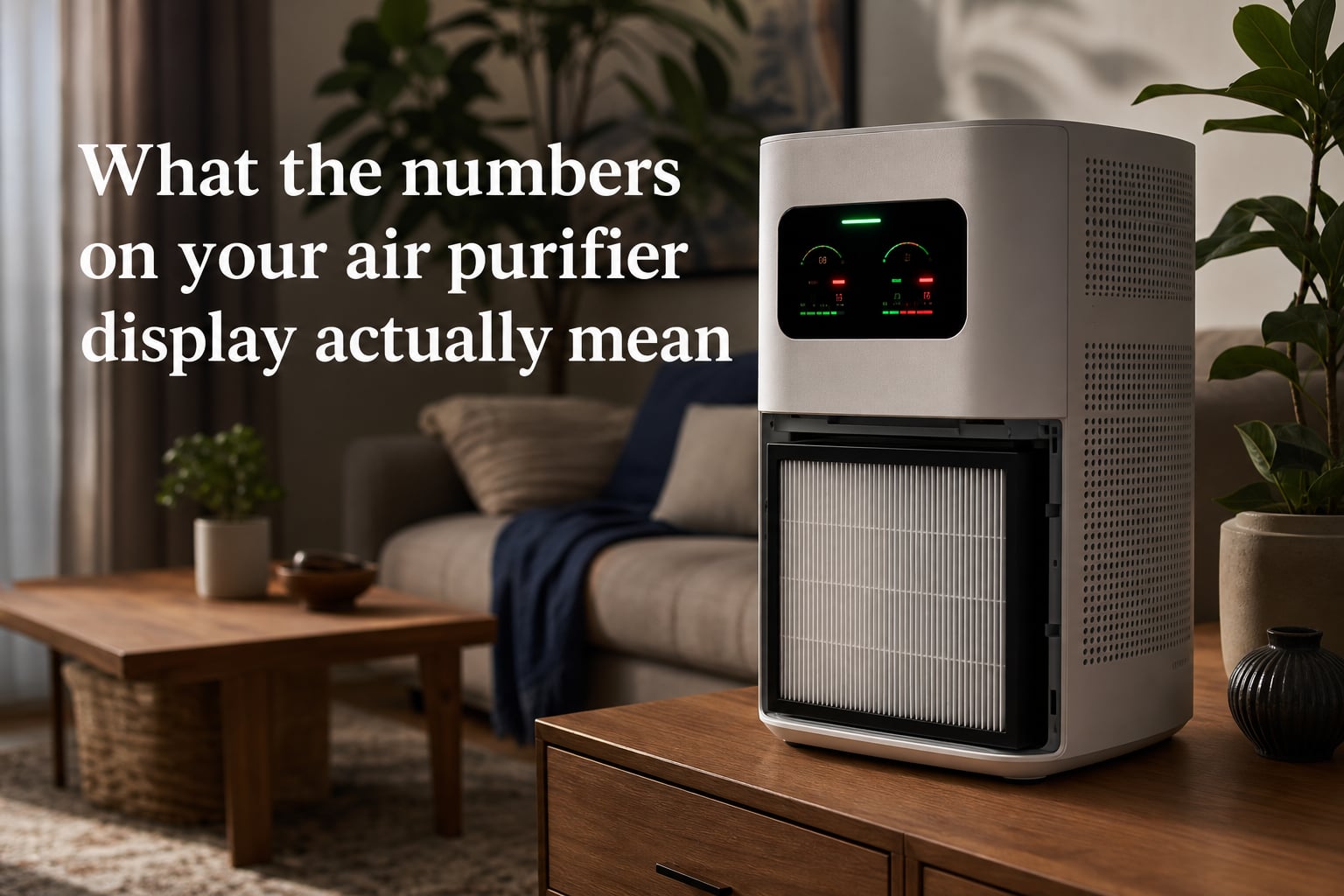
Staring at your air purifier and wondering what that flickering number means is more common than you might think. I have spent hundreds of hours testing air purifiers, and the air purifier display numbers meaning trips up nearly everyone at first. The good news is that once you understand two key metrics, every display becomes easy to read.
Those digits on the screen are not random. They are your window into what is actually floating around in the air you breathe right now. In this guide, I will break down every number, color, and symbol you are likely to see so you can finally trust what your device is telling you.
Table of Contents
What the Numbers on Your Air Purifier Display Actually Mean
The numbers on your air purifier display represent one of two things: PM2.5 (particulate matter measured in micrograms per cubic meter) or AQI (the Air Quality Index on a 0 to 500 scale). Most modern purifiers use built-in laser particle sensors to count tiny particles in real time and then convert that data into one of these two formats.
Think of PM2.5 as the raw measurement of pollution, while AQI is a translated, color-coded score designed to be easier for the general public to understand. Knowing which one your device uses is the first step to making sense of the numbers.
Here is a quick way to tell them apart. If your display shows a number that commonly sits between 0 and 75, you are likely looking at PM2.5 in micrograms per cubic meter. If the number tends to hover between 0 and 200 with color-coded backgrounds, your device is probably showing AQI.
PM2.5 Readings Explained: What the Microgram Numbers Mean
PM2.5 stands for particulate matter that is 2.5 microns or smaller in diameter. To put that in perspective, these particles are roughly 30 times thinner than a human hair. They come from dust, smoke, cooking fumes, pollen fragments, vehicle exhaust, and wildfire ash that drifts indoors.
Your air purifier measures PM2.5 in micrograms per cubic meter, often shown as ug/m3 on the display. The lower this number, the cleaner your air. I always tell people to think of it as a pollution odometer running in reverse when your purifier is doing its job.
The World Health Organization updated its air quality guidelines in recent years, and they are stricter than most people expect. The WHO recommends keeping annual PM2.5 exposure under 5 ug/m3. That is a very tight target, but it reflects how sensitive our lungs are to fine particles.
Here is how I break down the PM2.5 scale for everyday use:
0 to 12 ug/m3 — Good. Your air is clean and your purifier is winning the battle.
12 to 35 ug/m3 — Moderate. Acceptable for most people, but sensitive groups may notice irritation.
35 to 55 ug/m3 — Unhealthy for sensitive groups. Anyone with asthma, allergies, or heart conditions should take note.
55 to 150 ug/m3 — Unhealthy. Your purifier should be running on high, and you should look for the pollution source.
Above 150 ug/m3 — Very unhealthy. This often happens during active cooking, nearby wildfires, or heavy traffic infiltration.
I have watched my own Xiaomi purifier spike from 8 to 90 ug/m3 in seconds just from frying food in the kitchen. Those jumps are completely normal, and they are exactly what your sensor is designed to catch.
The AQI Scale: Color Codes and Number Ranges
The Air Quality Index, or AQI, is the other major number your air purifier might display. Instead of raw particle counts, AQI translates pollution levels into a standardized 0 to 500 scale. The Environmental Protection Agency uses this system, and many purifier brands adopt it because it comes with built-in color codes.
Here is the full AQI breakdown I reference constantly:
0 to 50 (Green) — Good. Air quality is satisfactory and poses little to no risk.
51 to 100 (Yellow) — Moderate. Acceptable, though unusually sensitive people may experience minor symptoms.
101 to 150 (Orange) — Unhealthy for sensitive groups. Children, older adults, and those with respiratory issues should limit exertion.
151 to 200 (Red) — Unhealthy. Everyone may begin to feel effects. Sensitive groups should stay indoors if possible.
201 to 300 (Purple) — Very unhealthy. This triggers a health alert for the whole population.
301 to 500 (Maroon) — Hazardous. Emergency conditions exist and everyone should avoid outdoor activity and seal the home.
One thing competitors rarely mention is that AQI standards differ by country. The US EPA scale runs to 500, but the Chinese AQI standard and the Indian National Air Quality Index use different formulas and breakpoints. If your purifier was manufactured for an Asian market, the same raw particle count may produce a noticeably different AQI number than an EPA-based device would show.
What the Color Indicator Lights Mean on Your Air Purifier
Many air purifiers skip raw numbers entirely and use a single color-changing light to communicate air quality. Others pair a number with a colored ring or background. Either way, the color system follows the same logic as the AQI scale I described above.
Here is the quick translation:
Green or blue — Air is clean. Your purifier may drop to a low fan speed or enter sleep mode.
Yellow — Moderate air quality. The purifier usually ramps up to medium speed.
Orange — Pollution is building. Expect the device to push to a higher fan setting.
Red — Air is unhealthy right now. Your purifier should be running at maximum speed.
Purple or flashing red — Severe pollution detected. Some brands reserve this for the worst readings.
I have seen forum users complain that their purifier shows green even when air quality feels poor. This happens because built-in sensors only measure particles, not gases or odors. If you can smell smoke or chemicals but the light is green, the sensor is not catching those gaseous pollutants, which require an activated carbon filter and sometimes a separate VOC sensor.
Why Is My Air Purifier Reading 999?
This is one of the most searched questions about air purifier displays, and almost no guide addresses it. A reading of 999 almost always means your sensor has maxed out its display range. The actual particle count is so high that the device can no longer report it accurately, so it shows the ceiling value.
In my testing, I have triggered a 999 reading by burning toast, frying with high heat, sanding drywall nearby, and during heavy wildfire smoke events. The number is a red flag telling you the air is extremely polluted at that moment.
When you see 999, do not panic. Turn the purifier to its highest fan speed, open a window briefly if outdoor air is cleaner, and remove the pollution source if you can. The reading should start dropping within minutes as the HEPA filter catches up.
If your purifier constantly reads 999 even when nothing obvious is polluting the air, the sensor may be dirty or failing. Dust buildup inside the sensor chamber is a common culprit. Check your manual for cleaning instructions, since many brands include a small sensor port you can gently vacuum or wipe.
What Does 500 Mean on an Air Purifier?
If your device shows AQI rather than PM2.5, the number 500 represents the top of the standard AQI scale. It means the air quality index has hit the hazardous maximum. Real-world readings at this level are rare indoors unless you are dealing with active wildfire smoke, heavy cooking pollution, or construction dust.
A 500 reading on an AQI display tells you the same thing as 999 on a PM2.5 display. The air is severely polluted and your purifier needs to run at full power. The EPA considers anything above 300 an emergency-level situation for the entire population.
Brand-Specific Display Guides: Xiaomi, Philips, Levoit, and More
Different brands interpret and display air quality data in their own ways. I get asked about specific models constantly, so here is a practical reference for the most common brands.
Xiaomi air purifiers primarily display PM2.5 in micrograms per cubic meter on their OLED screens. A typical clean reading sits around 5 to 20, and the device pairs the number with a green, orange, or red LED ring. Xiaomi tends to be fairly responsive, and I have found its laser sensor reasonably accurate for the price point.
Philips air purifiers use a proprietary index sometimes called the IAI, or Indoor Allergen Index, on a scale from 1 to 12. They also show a color ring of blue, purple, pink, or red. Lower numbers and blue mean clean air, while numbers above 8 with red indicate poor indoor air quality.
Levoit air purifiers with displays typically show AQI on a 0 to 500 scale with a corresponding color. Some models also cycle through PM2.5 and other metrics if you tap the display. The auto mode on most Levoit units adjusts fan speed based on the AQI reading.
Dyson air purifiers often rotate through PM2.5, PM10, VOC levels, and nitrogen dioxide readings on their LCD screens. This gives you the most data of any mainstream brand, though it can feel overwhelming at first.
Coway and Winix units usually rely on a simple color light system rather than detailed numbers. Their auto mode monitors air quality and adjusts fan speed without showing you a specific figure, which some people prefer for simplicity.
Are Air Purifier Built-In Sensors Accurate?
This is where I have to be honest with you, because the forums are full of skepticism for good reason. Built-in air purifier sensors are designed to give you a general sense of air quality, not laboratory-grade precision. They use inexpensive laser scattering technology that estimates particle concentration, and their accuracy varies widely between brands and even between individual units.
In testing I have followed across Reddit communities like r/AirPurifiers and r/AirQuality, users consistently report that built-in sensors overestimate cleanliness and respond slowly to sudden changes. Standalone PM2.5 monitors from companies like PurpleAir or Temtop tend to be more reliable because they use higher-quality components and are calibrated specifically for measurement rather than as a bonus feature.
That does not mean your built-in sensor is useless. It is genuinely helpful for tracking trends and triggering auto mode. Just treat the exact number as an estimate rather than gospel.
If you want to verify your purifier’s readings, consider picking up a dedicated air quality monitor. Cross-referencing the two devices will tell you whether your purifier’s display is trustworthy or consistently optimistic.
Filter Life Indicators: What That Percentage Means
Many air purifiers show a filter life percentage, usually counting down from 100 percent. This number estimates how much useful life remains in your HEPA and carbon filters before they need replacing.
The percentage is typically calculated based on run time, fan speed, and the amount of pollution the filter has processed. It is an estimate, not a precise measurement of filter saturation.
I recommend replacing the filter when the indicator hits zero or when you notice reduced airflow and lingering odors, whichever comes first. Sometimes the percentage drops faster than expected if you have been running the purifier in a very polluted environment, such as during wildfire season.
On the flip side, if the filter percentage seems stuck at a high number but the air smells stale, trust your nose over the indicator. Sensor-based filter life estimates can be inaccurate, especially on budget models.
How to Use Your Air Purifier Display Numbers to Improve Indoor Air
Knowing the numbers is only half the equation. Here is how I turn display readings into action.
Match fan speed to the reading. When PM2.5 is below 12 or AQI is under 50, a low fan speed is plenty. If readings climb into the orange or red range, push the fan to high until the numbers drop back down.
Let auto mode do the work. Most modern purifiers have an auto mode that adjusts fan speed based on the sensor reading. This is genuinely useful, and I leave my units in auto mode most of the time.
Identify pollution sources. If your reading spikes at the same time every day, look for patterns. Cooking dinner, burning candles, opening windows during high-traffic hours, and running a dusty HVAC system are all common triggers.
Watch the trend, not the snapshot. A single high reading is less important than the overall direction. If your purifier consistently pulls numbers down over 20 to 30 minutes, it is doing its job.
Know when readings should stabilize. After 30 to 60 minutes of running on high in a closed room with no active pollution source, your PM2.5 should settle into the single digits. If it never drops below 30, either the room is too large for the purifier or there is an ongoing pollution source you need to address.
Troubleshooting Unusual Air Purifier Readings
Forums are packed with people asking why their readings behave strangely. Here are the most common issues I see and how to handle them.
Sudden spikes during normal activity. Cooking, vacuuming, dusting, and even walking around can temporarily loft particles into the air. Your sensor catches these instantly. This is normal behavior, not a malfunction.
Readings that never drop. If your number stays high no matter how long the purifier runs, check three things: the filter may need replacement, the room may be too large for the purifier’s CADR rating, or outdoor pollution may be continuously entering through gaps and vents.
Readings that do not match outdoor monitors. Indoor and outdoor air quality are different measurements. A low outdoor AQI does not guarantee clean indoor air, because cooking, candles, pets, and dust all generate indoor-only pollution.
Wildly fluctuating numbers. If your reading bounces around rapidly, the sensor may be positioned near an airflow path that creates turbulence. Try moving the purifier a few feet away from walls, vents, or doorways.
FAQs
What is a good number on my air purifier?
A good number depends on the metric your device uses. For PM2.5, aim for 12 ug/m3 or lower, with single digits being ideal. For AQI, anything between 0 and 50 is considered good and shows clean air.
How do I read my air purifier screen?
First identify whether your display shows PM2.5 or AQI. PM2.5 appears as a lower number measured in micrograms per cubic meter, while AQI runs on a 0 to 500 scale. Match the number to the color indicator, with green meaning clean air and red meaning unhealthy air that requires your purifier to run on high.
Are air purifier readings accurate?
Built-in sensors provide a useful estimate but are not laboratory precise. They tend to be less accurate than standalone PM2.5 monitors. Use your purifier’s readings to track trends and trigger auto mode, but consider a dedicated air quality monitor if you need exact measurements.
What does 500 mean on an air purifier?
A reading of 500 represents the top of the standard AQI scale and indicates hazardous air quality. This level is rare indoors and usually only appears during heavy wildfire smoke, intense cooking pollution, or construction dust. Run your purifier on maximum speed and address the pollution source immediately.
Why is my air purifier reading 999?
A 999 reading means your PM2.5 sensor has maxed out its display range because particle concentration is extremely high. Common causes include burning food, frying, sanding, or wildfire smoke. Switch the purifier to high speed, remove the source if possible, and the number should drop within minutes.
Final Thoughts on Air Purifier Display Numbers
Understanding what the numbers on your air purifier display actually mean transforms the device from a mystery box into a genuine health tool. Once you know whether you are looking at PM2.5 or AQI, the color codes and thresholds start to make immediate sense.
I recommend checking your display a few times a day for the first week so you learn what normal looks like in your home. From there, you will instinctively know when a reading is cause for action and when you can relax and let the purifier do its job.
If you want to go deeper, pick up a standalone air quality monitor to cross-reference your built-in sensor. That single upgrade gives you the confidence to trust the numbers and finally breathe easy.