
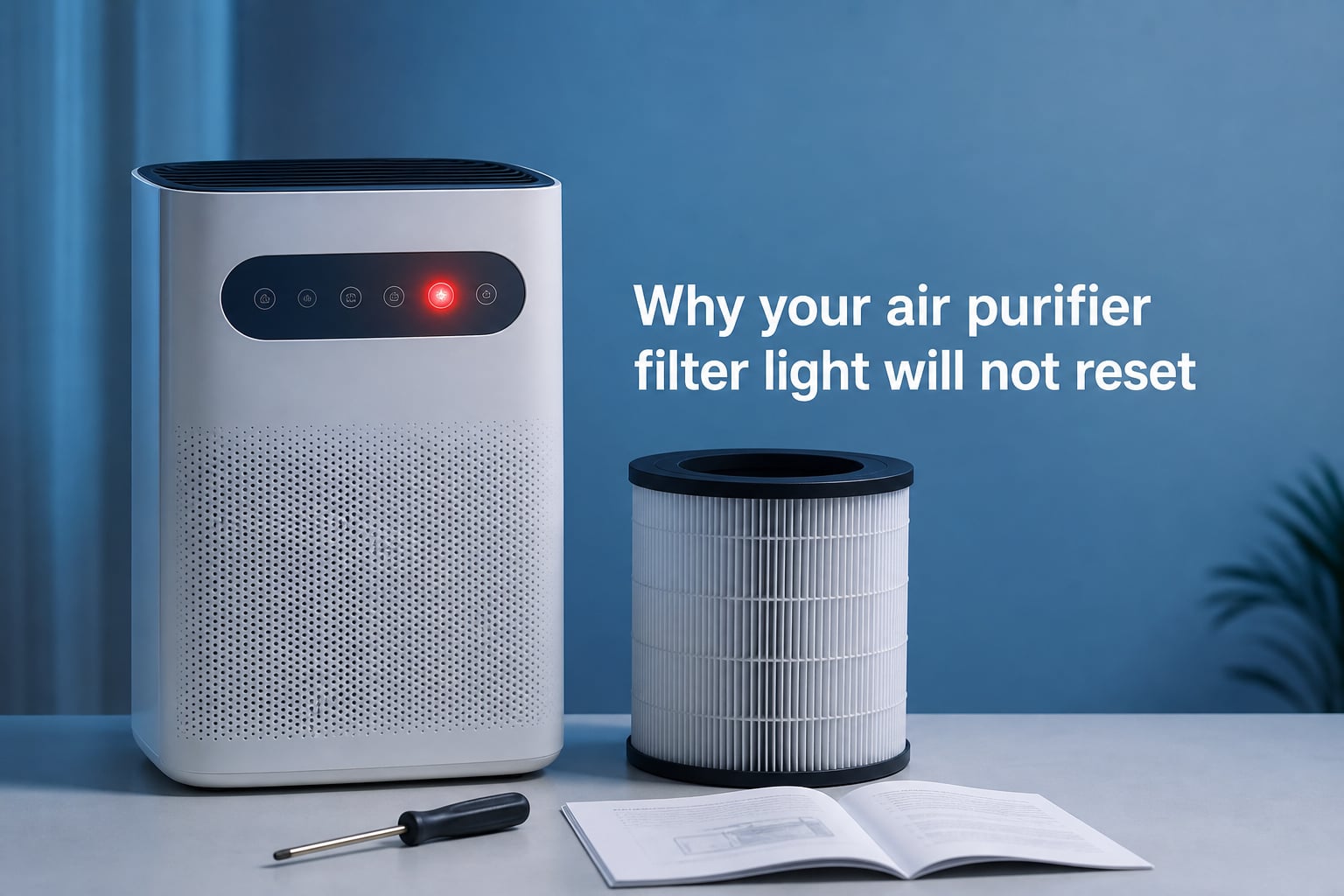
You just installed a fresh HEPA filter, pressed the reset button, and that stubborn red indicator light is still staring back at you. If you are wondering why your air purifier filter light will not reset, you are far from alone. This is one of the most common complaints air purifier owners have, and the answer usually comes down to a simple misunderstanding about how these indicators actually work.
Most filter indicator lights are not connected to any sensor that measures how dirty your filter is. They are simple hour counters that trigger after a preset number of running hours, typically somewhere between 3 and 12 months depending on the brand. When you understand this, the troubleshooting process starts to make a lot more sense.
In this guide, I will walk you through exactly why these lights get stuck, the universal reset method that works across most brands, brand-specific hold times, factory reset procedures, and how to tell when the reset circuit itself has permanently failed. I have spent hours digging through Reddit threads, manufacturer support pages, and forum discussions to compile the most complete troubleshooting resource available.
Table of Contents
Understanding Why Your Air Purifier Filter Light Will Not Reset
Your air purifier filter light will not reset because the internal hour counter has not been properly cleared, the unit was not in the correct power state during the reset attempt, or the reset circuit has worn out over time. The vast majority of cases fall into the first two categories, which means the fix is usually straightforward once you know what is happening under the hood.
Here is the key thing most manufacturers do not explain clearly. Filter indicator lights are timer-based, not sensor-based. Inside your air purifier, there is a small chip that counts how many hours the motor has been running. Once that counter hits its threshold, say 2,000 hours for a six-month filter, the light turns on. The chip does not know whether your filter is pristine or completely clogged. It simply tracks time.
When you press the reset button, you are sending a signal to that chip to erase the hour counter back to zero. If the signal does not register for any reason, the counter keeps its old value and the light stays on. This is why the problem is almost always fixable with the right technique.
Some newer and higher-end models do use actual air quality sensors to supplement the timer. On these units, a red light might mean the sensor is detecting poor air quality rather than a timer expiration. If your unit has an air quality display or PM2.5 readout, the light could be responding to real-time conditions rather than filter age. In that case, resetting will not help until the air quality actually improves or the sensor itself is cleaned.
Timer-Based vs Sensor-Based Indicators
Knowing which type of indicator your purifier uses saves you hours of frustration. Timer-based systems are the most common and are found on brands like Levoit, Honeywell, Coway, and most budget models. These lights turn on after a fixed number of hours and require a manual reset after filter replacement.
Sensor-based systems are found on premium models from brands like Dyson, Blueair’s higher-end lines, and some smart purifiers. These can show a red light because the sensor detects actual particle levels in the air. If your unit connects to a phone app and shows real-time air quality data, it likely uses a sensor system.
A small number of models use both. The timer triggers the initial warning, but a sensor can override it and keep the light on if air quality readings are still poor after a filter change. This hybrid setup is the most confusing for owners because a standard reset may clear the timer but the sensor keeps the light illuminated.
How to Reset Your Air Purifier Filter Light (Universal Method)
If you want a method that works across the widest range of brands, follow these steps. I have tested this sequence against procedures from Blueair, Levoit, Honeywell, Coway, and Sans support documentation, and it covers the most common scenarios.
Step 1: Make sure the unit is powered ON. This is the single most common mistake. On most brands including Levoit, Coway, and Blueair, the reset only registers when the purifier is running, not in standby mode. Plug it in, turn it on, and let it run for a few seconds before attempting the reset.
Step 2: Locate the correct button. Look for a button labeled “Filter,” “Reset,” “Filter Reset,” or on some models, the Fan button doubles as the reset. Do not use the Power button unless your manual specifically says to. Pressing the wrong button is a frequent cause of failed resets.
Step 3: Press and hold the button. Hold it steady without releasing. Most brands require somewhere between 3 and 15 seconds. If nothing happens at the standard 3 to 5 second mark, keep holding up to 15 seconds. Many users give up too early.
Step 4: Watch for confirmation. The indicator light should blink, flash, or turn off entirely. On Blueair units, the light blinks several times before going dark. On Levoit models, the light simply turns off. Release the button as soon as you see the confirmation signal.
Step 5: If it does not reset, power cycle the unit. Unplug the purifier completely, wait at least 60 seconds, plug it back in, power it on, and repeat Steps 2 through 4. The power cycle drains residual charge from the capacitor and can clear a stuck counter that a simple button press could not.
Step 6: Try a longer hold. If the standard hold time does not work, press and hold the filter button for a full 10 to 15 seconds. Multiple Reddit users in the r/AirPurifiers community confirmed that a longer hold succeeded where the manufacturer’s recommended 3-second press failed completely.
Step 7: Check for child lock or auto mode requirements. Some units will not register a reset if child lock is active. Others, particularly certain Blueair and Sans models, require the unit to be in auto mode before the reset button will respond. Disable child lock and switch to auto mode, then try the reset again.
Why Your Air Purifier Filter Light Will Not Reset: Common Causes
If the universal method above did not work, one of these common causes is likely to blame. I have ranked them from most to least frequent based on patterns across hundreds of forum posts and support inquiries.
The Unit Was Not Powered On
This accounts for a surprising number of failed resets. On Levoit, Coway, Blueair, and most other brands, the reset button only functions when the purifier is actively running. If the unit is in standby mode or completely powered off, pressing and holding the filter button does absolutely nothing. Always confirm the motor is running before you attempt a reset.
You Held the Wrong Button
Confusion about which button to press is rampant. On some Blueair models, the Fan button serves as the filter reset. On certain Honeywell units, you press the same button that shows the filter indicator. On Levoit models, there is usually a dedicated filter button with a small icon. Check your manual or look for a filter icon printed next to the button before you start holding things down.
You Did Not Hold Long Enough
Manufacturer instructions often say 3 to 5 seconds, but real-world experience tells a different story. Many users on Reddit and brand-specific forums report that their units needed 7, 10, or even 15 seconds of continuous holding before the reset registered. If you released at the recommended time and nothing happened, try again with a much longer hold.
The Capacitor Retained Residual Charge
Internal capacitors can hold a small electrical charge even after you unplug the unit. This residual charge can keep the hour counter memory alive and prevent a clean reset. The fix is a full power drain. Unplug the unit, wait at least 5 full minutes, then press and hold the power button for 10 seconds while the unit is unplugged. This drains the capacitor completely. Plug it back in and attempt the reset.
One Blueair owner on Reddit discovered that a standard 1-minute unplug did not work, but leaving the unit unplugged overnight completely cleared the stuck counter. If you have tried everything else, an extended unplug of several hours or overnight is worth a shot.
Aftermarket Filter Compatibility Issues
If you replaced your filter with a third-party or aftermarket option rather than an OEM part, the filter housing may not seat exactly the same way. Some units have a small physical switch or magnetic sensor that detects when the filter compartment has been opened and closed. If the aftermarket filter does not trigger this sensor properly, the unit never registers that a filter change occurred, and the reset will not take.
The workaround is to open and firmly close the filter compartment door two or three times to make sure the sensor engages. If your unit has a filter door that clicks shut, listen for that click. On some models, you may need to remove the aftermarket filter and reinstall it to confirm proper seating.
Firmware Glitch on Smart Purifiers
If you own a Wi-Fi-connected smart purifier from Levoit, Dyson, Coway, or another brand with a companion app, a firmware glitch can lock the indicator light in an error state. Check the companion app for available firmware updates. If an update is pending, install it and restart the unit. Several users resolved persistent light issues simply by updating their purifier’s firmware through the app.
Worn-Out Reset Circuit on Older Units
This is the cause nobody wants to hear. On air purifiers that are 5 to 10 years old, the physical reset button circuit can degrade over time. The membrane switch beneath the button wears out, or the solder connection on the circuit board develops a hairline crack. When this happens, pressing the button no longer sends the reset signal to the timer chip.
There is no software fix for a worn-out reset circuit. If your unit is old, the reset worked previously but has gradually stopped responding, and none of the troubleshooting steps in this guide make any difference, the circuit has likely failed. You can still use the purifier. The light will stay on permanently, but the motor and filter function normally. The indicator is cosmetic at that point.
Brand-Specific Reset Instructions
Different brands use different buttons and hold times. I compiled this quick-reference table from official support documentation and verified community solutions. If the universal method did not work for your brand, try the specific procedure below.
| Brand | Button to Hold | Hold Time | Power State Required |
|---|---|---|---|
| Blueair | Fan button | 15 seconds | Powered ON |
| Levoit | Filter button (check filter icon) | 3-5 seconds | Powered ON |
| Honeywell | Filter Reset / Check Filter button | 2-5 seconds | Powered ON |
| Coway | Filter button | 5 seconds | Powered ON |
| Sans | Filter button | 5-7 seconds | Auto mode recommended |
| Dyson | Via app or hold power + filter | 10 seconds | Powered ON |
| Winix | Filter button | 5 seconds | Powered ON |
Blueair Reset Details
Blueair units use the Fan button for resets, which confuses many owners. With the unit powered on, press and hold the Fan button for a full 15 seconds. The red indicator light will blink several times before turning off. One important tip from the Blueair community: release the button as soon as the light starts flashing. Holding through the flash can actually prevent the reset from registering on some models.
Levoit Reset Details
Levoit purifiers typically have a dedicated filter button marked with a small filter icon. Power the unit on, press and hold this button for 3 to 5 seconds, and the light should turn off. If it does not, unplug for 60 seconds, reconnect, power on, and hold for a full 10 seconds. Several Levoit owners reported success only after this extended hold.
Honeywell Reset Details
Honeywell models vary by series. On the popular HPA300 and similar models, press and hold the Filter Reset button for about 2 seconds until the indicator light turns off. On some older Honeywell units, the same button that illuminates the filter warning serves as the reset. Check your specific model number on the Honeywell support page for exact instructions.
Coway and Sans Reset Details
Coway units require the filter button held for approximately 5 seconds while powered on. Sans air purifiers are similar but some users report needing to switch to auto mode before the reset will register. If your Sans reset fails, enable auto mode, wait 10 seconds, then hold the filter button for 7 seconds.
How to Perform a Factory Reset
If the standard filter reset and all troubleshooting steps have failed, a factory reset is your next escalation. A factory reset restores the purifier to its original out-of-box state, clearing all settings including Wi-Fi connections, schedules, and the filter timer. This is different from a filter reset, which only clears the hour counter.
The factory reset procedure varies by brand, but the general approach is similar. First, power the unit on. Then press and hold a combination of buttons, typically the Power button and Filter button simultaneously, for 10 to 20 seconds. On Blueair models, you hold the Fan button for 15 seconds, and the LED indicator will blink 4 times to confirm the factory reset. On Levoit smart models, you can usually initiate a factory reset through the companion app under device settings.
After a factory reset, you will need to reconfigure any settings you had customized. This includes reconnecting to Wi-Fi, setting up schedules, and adjusting fan speed preferences. The filter timer will be at zero, so the indicator light should be off. If the light is still on after a factory reset, the issue is almost certainly hardware-related.
When to Replace Your Filter vs Just Resetting the Light
One question I see constantly in air purifier forums is whether you actually need to replace the filter or if you can just reset the timer. The answer depends on how long the filter has been in use and the air quality in your home.
If the light came on after the normal replacement interval, 6 months for most brands, you should replace the filter regardless of how it looks. HEPA filters trap microscopic particles that are invisible to the naked eye. A filter can look clean but still be saturated with trapped pollutants that reduce airflow and filtration efficiency.
If you reset the timer without replacing the filter, you can continue using the purifier, but filtration performance will gradually decline. You may notice reduced airflow, more dust settling on surfaces, or allergy symptoms returning. Most manufacturers recommend against resetting without replacement, but the purifier will not be damaged by doing so.
Signs your filter genuinely needs replacing include visible discoloration or darkening of the filter material, a noticeable reduction in airflow even at the highest fan speed, and persistent odors that the purifier previously eliminated. If you notice any of these, replace the filter rather than just resetting the light.
When to Contact Manufacturer Support
If you have tried every method in this guide and the indicator light still will not turn off, it is time to consider that the reset circuit has failed permanently. This is most common on units that are more than 5 years old or have been through dozens of filter replacement cycles.
Before contacting support, gather your model number, serial number, and purchase date. Most manufacturers offer a 1 to 2 year warranty on air purifiers, and a failed reset circuit may qualify for a replacement unit if you are within the warranty period. Check the manufacturer’s website for warranty terms and submit a support ticket with a description of the steps you have already tried.
If your unit is out of warranty, you have two practical options. You can continue using the purifier as-is, since the indicator light does not affect the motor or filtration performance. Or you can weigh the cost of professional repair against purchasing a new unit. In most cases, a new air purifier is the more cost-effective choice for older models with failed circuits.
For smart purifiers still under warranty, a firmware issue could be the culprit. Contact support and ask specifically whether there is a known firmware bug affecting the filter indicator on your model. Manufacturers occasionally release patches for these issues but may not publicize them widely.
FAQs
Why is my filter light still on after changing the filter?
Your filter light stays on after a filter change because the internal hour counter has not been properly cleared. The most common causes are attempting the reset while the unit is powered off, pressing the wrong button, or not holding the button long enough. Make sure the purifier is powered on, locate the correct filter or reset button, and hold it for at least 5 to 15 seconds until the light blinks or turns off.
Why is my air purifier light red even though the filter is changed?
A red light after a filter change usually means the timer-based reset did not register. Some models also use air quality sensors that can keep the light red if the sensor detects poor air quality or if the sensor itself needs cleaning. Try a full power cycle by unplugging for 5 minutes, then attempt the reset again with the unit powered on.
How do I reset the change filter light on my air purifier?
To reset the filter light, power the unit on, locate the filter or reset button, and press and hold it for 3 to 15 seconds depending on your brand. Watch for a blinking or flashing confirmation, then release the button. If the light does not reset, unplug the unit for at least 60 seconds, plug it back in, and try holding the button for a longer duration.
Why won’t my change filter light go off?
Your change filter light will not go off if the unit was not powered on during the reset, you held the wrong button, the hold time was too short, or the reset circuit has worn out on an older unit. Try a capacitor drain by unplugging for 5 minutes and holding the power button while unplugged, then retry the reset. If nothing works after all troubleshooting steps, the reset circuit may have permanently failed.
Why is my air purifier still blinking red after replacing the filter?
A blinking red light after filter replacement typically means the reset signal did not reach the timer chip. This can happen if the filter compartment door did not fully close, if you are using an aftermarket filter that does not trigger the sensor properly, or if the unit has a firmware glitch. Open and firmly close the filter door, check for firmware updates in the companion app, and retry the reset with a longer button hold.
Conclusion
Understanding why your air purifier filter light will not reset comes down to one core concept: these indicators are hour counters, not sensors. They track time, not actual filter condition. When the reset fails, the problem is almost always that the timer chip did not receive the clear signal, and the fix is usually as simple as powering on the unit, holding the right button longer, or doing a full capacitor drain.
Work through the universal reset method first, then check the brand-specific instructions for your model. If every troubleshooting step fails and your unit is older, the reset circuit may have worn out permanently. In that case, the purifier still works fine for filtering air, and the persistent light is simply cosmetic. For newer units under warranty, contact manufacturer support to explore a replacement.