
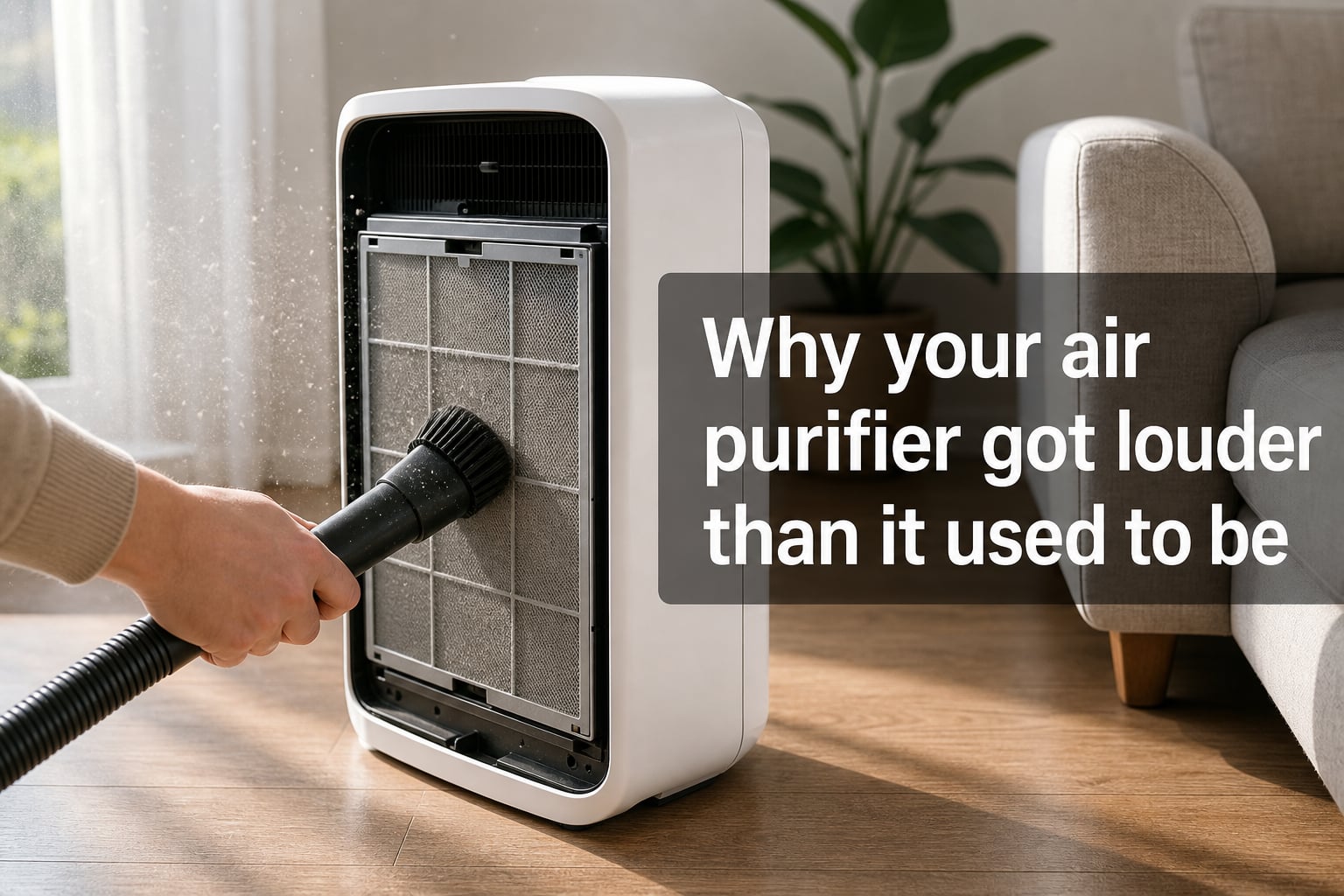
I noticed my air purifier getting louder a few months ago, and what used to be a soft hum turned into something I could hear from across the room. It took me a while to figure out the culprit, but the same handful of issues cause this problem in most units.
If your air purifier louder than it used to be, the change is rarely random. It usually means something is restricting airflow, something is loose inside, or the motor is starting to wear. The good news is that most of these causes are fixable without a service call.
In this guide, I’ll walk you through the seven most common reasons a purifier gets noisier, what each sound actually means, and the exact steps I use to bring mine back to quiet operation.
Table of Contents
Common Reasons an Air Purifier Gets Louder Over Time
An air purifier gets louder over time when something forces the motor to work harder or when mechanical parts start to wear. The seven most common causes I see are:
- A clogged or overdue HEPA filter restricting airflow
- Dust and pet hair stuck in the fan housing
- Loose panels, screws, or filter door vibrating against the chassis
- Worn motor bearings producing a high-pitched whine
- Dust buildup on ionizer pins causing crackling or ticking
- An unbalanced fan blade from uneven dust accumulation
- Placement on a hard surface that amplifies vibration
Each of these produces a slightly different sound, and that sound is the best clue you have. I’ll break down how to tell them apart in the next section.
What Different Air Purifier Noises Mean
The specific noise your air purifier makes is the fastest way to narrow down the cause. Here is how I map each common sound to the most likely culprit.
Rattling
A rattling noise almost always points to something physically loose. It could be a screw, the filter door, or a piece of debris bouncing around the fan housing. I check the filter door first since it’s the easiest fix.
Buzzing or Humming
A steady buzz or hum usually means an electrical component or the motor itself. If it only happens at higher fan speeds, the motor is straining against restricted airflow, which usually means a dirty filter.
Grinding
A grinding sound is the one I take most seriously. It usually means a fan blade is hitting something inside the housing, or the motor bearings are starting to wear. Stop the unit and inspect before running it again.
Whistling
A high-pitched whistle means air is being forced through a narrow gap. The most common cause is a filter that isn’t seated correctly, or a clogged filter creating pressure behind the fan.
Clicking or Ticking
Clicking or ticking sounds usually come from ionizer pins discharging. A small amount is normal, but loud or constant clicking often means the pins are coated in dust and need cleaning.
Filter-Related Causes of Increased Noise
Filters are the number one reason an air purifier gets louder than it used to be. As the HEPA filter loads up with particles, airflow drops and the motor has to spin faster to maintain the same CADR.
A typical HEPA filter has a recommended replacement window of 6 to 12 months depending on use. In homes with pets, smokers, or heavy cooking, I replace them closer to every 4 to 6 months.
The pre-filter does most of the heavy lifting and should be vacuumed or rinsed every 2 to 4 weeks. Skipping this step is the fastest way to clog the main HEPA filter.
One thing I have learned the hard way: a filter that is not seated correctly can create a whistling noise even when the filter itself is clean. Always make sure the filter sits flush and the door latches completely.
Fan, Motor, and Mechanical Issues
If filters are clean and the noise persists, the problem is usually mechanical. The fan housing is the next place I look.
Pet hair, dust bunnies, and small debris can wrap around the fan shaft or sit against the housing. Even a small imbalance will create a noticeable rattle or hum at higher speeds. Unplug the unit, remove the filter, and use a soft brush or vacuum with a brush attachment to clean the inside.
Motor bearings are another common source. Over 12 to 24 months of continuous use, the factory lubrication on the motor shaft dries out and bearings start to produce a high-pitched whine. A few drops of lightweight machine oil on the motor shaft (where accessible) can restore quiet operation for another year or more.
Loose screws and panels are easy to overlook. Give the unit a gentle shake with the power off. If anything moves or clicks, tighten it before running the purifier again.
Placement and Environmental Factors
Sometimes the cause is not inside the unit at all. I have seen purifiers that sounded broken turn silent simply by moving them two feet across the room.
Hard floors like hardwood, tile, or laminate amplify vibration. Putting a rubber mat or thick rug pad underneath can cut perceived noise significantly.
Placing the purifier too close to a wall or in a tight corner forces air to recirculate through the intake, which makes the fan work harder and produces more noise. I keep at least 6 to 12 inches of clearance on all sides.
Dusty environments, including workshops, recently renovated rooms, or homes with shedding pets, accelerate filter loading. If you fall into this category, plan on more frequent filter changes and a monthly deep clean.
Step-by-Step Troubleshooting Checklist
When my air purifier starts getting louder, I run through this checklist in order. It solves the issue about 9 times out of 10.
- Unplug the unit and remove the filter. Vacuum the pre-filter and inspect the HEPA filter for visible buildup.
- Check the filter replacement indicator. Many units track runtime and trigger an alert when a swap is due.
- Look inside the housing with a flashlight for dust clumps, pet hair, or debris near the fan.
- Gently shake the unit (powered off) and listen for loose screws, panels, or rattling parts.
- Reinstall the filter, making sure it is seated flush and the door latches fully.
- Run the purifier on each fan speed. Note whether the noise changes or stays constant.
- Move the unit to a different spot with more clearance and a softer surface, then test again.
- If a high-pitched whine persists, the motor bearings may need oiling or the motor may be near end of life.
Preventive Maintenance to Keep Your Purifier Quiet
Keeping a purifier quiet is mostly about staying ahead of buildup. Here is the maintenance rhythm I follow in 2026.
Every 2 to 4 weeks, vacuum or rinse the pre-filter. This single habit prevents most filter-related noise.
Every 3 months, do a deep clean. Unplug the unit, remove the filter, and wipe down the housing interior. Clean the ionizer pins with a dry cotton swab if your model has them.
Every 6 to 12 months, replace the HEPA filter based on the manufacturer’s schedule and your environment. Pet owners and smokers should lean toward the shorter end.
Once a year, consider oiling the motor bearings if your model allows access. Use only a few drops of lightweight non-detergent oil, and check your owner’s manual first since some motors are sealed.
After 5 to 8 years of heavy use, even a well-maintained purifier will start to show motor wear. At that point, replacement is usually more cost-effective than repair.
Frequently Asked Questions
Why is my air purifier getting louder?
The most common reasons are a clogged HEPA filter forcing the motor to work harder, debris stuck in the fan housing, loose panels vibrating against the chassis, or worn motor bearings producing a high-pitched whine. Start by cleaning or replacing the filter and inspecting inside the housing.
Should an air purifier be loud?
No. A properly functioning air purifier should produce a soft, steady hum on low settings and a noticeable but not distracting rush of air on high. If your purifier has become clearly louder than it used to be, that change usually signals a fixable maintenance issue rather than normal operation.
What is the life expectancy of an air purifier?
Most air purifiers last 5 to 8 years with regular filter replacement and basic maintenance. Premium models with washable filters can last 10 years or more. The motor is usually the first component to wear out, and loud or unusual noise after several years of use is often a sign the unit is nearing the end of its service life.
How to tell if your air purifier is making a difference?
You can confirm your air purifier is working by checking the filter for visible dust buildup, using an indoor air quality monitor for PM2.5 readings, or simply noticing reduced dust on surfaces and fewer allergy symptoms. A quieter-running unit after a filter change is also a good sign that airflow has been restored.
Final Thoughts
An air purifier louder than it used to be is almost always a maintenance signal, not a death sentence. In most cases, a clean pre-filter, a fresh HEPA filter, and a quick check for debris will restore quiet operation within minutes.
If the noise returns after a few weeks, work through the placement and mechanical causes next. A small amount of attention every few months will keep your purifier running quietly and efficiently well into 2026 and beyond.