
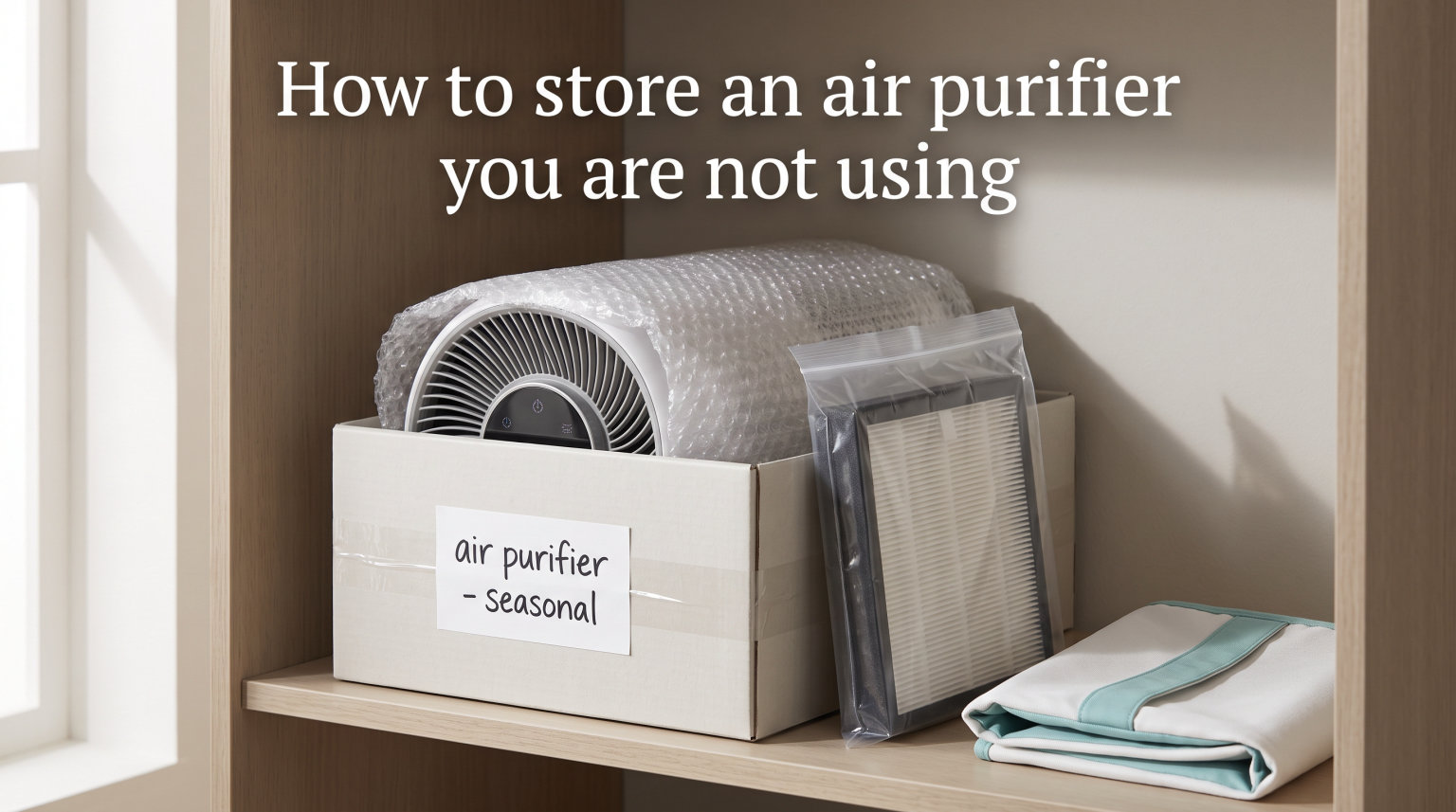
Storing an air purifier the right way keeps it running like new for years. Whether you are packing it away for the season, heading out on extended travel, or just taking a break from daily use, a few simple steps will protect the internal components and filters from damage.
In this guide, I will walk you through exactly how to store an air purifier you are not using, from cleaning and filter removal to picking the right spot and bringing it back to life when you need it again. I have pulled together advice from manufacturer guidelines, forum discussions, and my own experience with multiple units to give you a process that actually works.
By the end, you will know how to prep your unit, where to put it, what to do with the filters, and how to avoid the mistakes that shorten an air purifier’s lifespan.
Table of Contents
Why Proper Air Purifier Storage Matters
Air purifiers are not cheap, and careless storage is one of the fastest ways to ruin one. Dust settles into internal components, humidity warps filter media, and UV exposure degrades plastic housings over time.
When you skip proper storage steps, you risk mold growth inside the unit, clogged pre-filters that reduce airflow, and degraded HEPA or carbon filters that no longer capture particles effectively. A unit that sits uncovered in a damp garage for six months may never perform the same again.
Good storage preserves filtration efficiency, protects the motor and sensors, and keeps your air purifier working at full capacity the moment you plug it back in. Think of it as an investment in the device you already paid for.
According to forum discussions on Reddit’s r/AirPurifiers, users who follow proper storage steps report their units lasting well beyond the typical 5 to 10 year lifespan. Those who do not often end up replacing filters prematurely or buying a whole new unit.
How to Store an Air Purifier You Are Not Using: Step by Step
Follow these six steps in order. Each one matters, and skipping any of them can lead to problems down the road.
Step 1: Power Down and Unplug
Turn the unit off and unplug it from the wall before doing anything else. This protects you from electrical hazards and prevents dust or moisture from getting pushed into the motor while you clean.
Let the unit sit for at least 15 minutes after unplugging so the internal fan comes to a complete stop. This also gives any residual warmth time to dissipate, which matters if you are storing it in a sealed bag.
Step 2: Clean the Exterior Thoroughly
Wipe down the entire exterior with a dry microfiber cloth to remove surface dust. For stubborn grime, lightly dampen the cloth with water or a mild soap solution, but never spray liquid directly onto the unit.
Pay special attention to the air intake and outlet vents. Use a soft-bristled brush or a vacuum with a brush attachment to pull dust out of the grilles. Built-up dust in these areas restricts airflow and can harbor bacteria.
Clean the control panel with a barely damp cloth and dry it immediately. Moisture around buttons or touch sensors can cause malfunctions during storage.
Step 3: Remove and Inspect the Filters
Open the filter compartment and carefully remove every filter, including the pre-filter, HEPA filter, and carbon filter. Check each one for visible damage, heavy discoloration, or a strong odor.
If a filter is near the end of its lifespan, now is the time to replace it rather than storing a spent filter inside the unit. A saturated carbon filter can actually release trapped VOCs back into the air over time.
Gently vacuum the pre-filter to remove large particles. Do not wash a HEPA filter, as water destroys the fine fiber matrix that captures microscopic particles.
Step 4: Dry Every Component Completely
Moisture is the enemy of stored electronics and filter media. After cleaning, let the unit and all removable parts air dry for at least 2 to 3 hours in a well-ventilated room.
If you used any damp cloths during cleaning, double-check the filter compartment interior. Wipe it dry with a clean cloth and leave the compartment open while drying.
Never store a unit that is even slightly damp. Trapped moisture leads to mold, mildew, and corrosion of internal electrical contacts.
Step 5: Wrap and Cover the Unit
Use a breathable dust cover or a cotton sheet to wrap the unit. Avoid plastic bags or airtight wrap, because these trap moisture and promote condensation inside the device.
If you still have the original packaging, that is your best option. The box was designed to fit the unit snugly and protect it from dust and minor impacts.
For extra protection, place a few silica gel packets inside the filter compartment before closing it. These absorb residual moisture without sealing the unit in plastic.
Step 6: Choose the Right Storage Location
Pick a dry, climate-controlled room inside your home. A closet, spare bedroom shelf, or indoor storage cabinet works well.
Keep the unit elevated on a shelf or table rather than on the floor, where dust and potential water damage are more likely. Make sure the spot is away from windows, heaters, and vents.
If you are storing multiple units or other appliances, avoid stacking anything on top of the air purifier. The housing can crack under weight, and pressure can warp internal components.
How to Store Filters Separately
Filters deserve their own storage plan because they are the most sensitive and most expensive part of your air purifier. Storing them correctly extends their usable life and saves you money on replacements.
HEPA Filter Storage
Place each HEPA filter in a sealed plastic bag or airtight container after it is completely dry. Squeeze out excess air before sealing to minimize exposure to humidity and airborne particles.
Store the bagged filter flat in a cool, dry location. Do not fold, bend, or place heavy objects on it, since the pleated media depends on its shape for filtration efficiency.
Carbon Filter Storage
Carbon filters are even more sensitive than HEPA filters because activated carbon continuously absorbs VOCs from the surrounding air. A carbon filter left uncovered will saturate itself even while in storage.
Wrap the carbon filter in a sealed bag immediately after removing it from the unit. If you live in an area with high indoor pollution or strong cooking odors, consider storing it in two layers of sealing.
Do Air Filters Go Bad in Storage?
This is one of the most common questions, and the answer depends on whether the filter has been used. Unused filters still in their original sealed packaging can last 7 to 10 years or longer in a cool, dry environment.
Filters that have already been in use follow a different rule. Once a HEPA or carbon filter has been exposed to airflow, it begins accumulating particles and cannot be reset by storage. Its remaining lifespan is based on usage hours, not calendar time.
Forum users on r/AirPurifiers confirm that filters stored properly in sealed bags in cool, dry locations perform reliably even after years of storage. The key is keeping them sealed and away from humidity.
Short-Term vs Long-Term Storage: What Changes
The storage process changes depending on how long the unit will sit unused. What works for a two-week break is overkill for a weekend, and what works for a weekend is not enough for a six-month hiatus.
Short-Term Storage (1 to 4 Weeks)
For short breaks, you can leave the filters inside the unit. Simply unplug it, wipe the exterior, and cover it with a dust cover or sheet.
Store it indoors in a dry spot. No need to remove filters or seal them in bags for periods under a month.
Medium-Term Storage (1 to 6 Months)
Remove the filters and store them separately in sealed bags. This prevents dust from settling into the filter media and stops carbon filters from passively absorbing ambient odors.
Clean the unit thoroughly, dry it completely, and cover it with a breathable material. Check on it once a month to make sure no moisture or pests have found their way inside.
Long-Term Storage (6 Months or Longer)
For extended storage, follow the full six-step process above and take extra precautions. Use the original box if available, add silica gel packets, and store filters in double-sealed bags.
Check the unit every 2 to 3 months. Run it for 15 minutes every few months if possible to keep the motor lubricated and prevent the internal components from seizing up.
Ideal Storage Environment: Temperature, Humidity, and More
The best storage environment is a climate-controlled indoor space with stable temperature and low humidity. Aim for a temperature between 50 and 77 degrees Fahrenheit and relative humidity below 50 percent.
Avoid areas with temperature fluctuations, since cycles of warming and cooling cause condensation inside the unit and inside sealed filter bags. Consistency matters more than hitting an exact number.
Good ventilation helps, but do not place the unit in a drafty area where dust can settle through the cover. A closed closet or cabinet offers the best balance of protection and airflow.
If you live in a humid climate, a dehumidifier in the storage room is worth the investment. Long-term exposure to humidity above 60 percent can degrade filter media and promote mold growth inside the unit.
Where NOT to Store Your Air Purifier
Some locations will damage your air purifier faster than daily use ever could. Avoid these spots at all costs.
The garage: Garages experience extreme temperature swings, high humidity, and heavy dust. They are one of the worst places for any electronic device, let alone one designed to clean the air.
The attic: Attics get dangerously hot in summer and freezing cold in winter. The temperature extremes warp plastic components and degrade filter media rapidly.
An unheated basement or shed: Basements tend to be damp, and sheds offer no climate control. Both environments promote mold, rust, and electrical corrosion.
Near windows with direct sunlight: UV rays break down plastic housings over time, causing discoloration and brittleness. Sunlight also heats the unit unevenly.
On the floor in high-traffic areas: Floor-level storage invites kicks, spills, and dust accumulation. It also puts the unit at risk if the room floods.
Reactivating Your Air Purifier After Storage
No competitor covers this step, but it is one of the most important parts of the whole process. Bringing your air purifier back to life the right way sets it up to perform at full capacity immediately.
Step 1: Unbox and Inspect
Remove the cover or packaging and inspect the unit for dust, moisture, or pest damage. Look inside the filter compartment for any signs of mold or debris.
Step 2: Reinstall the Filters
Take the filters out of their sealed bags and reinstall them in the correct order. Check your manual if you are unsure about the stacking sequence, since incorrect placement reduces filtration efficiency.
If the filters have been stored for over a year, inspect them closely. A HEPA filter that looks discolored or smells musty should be replaced before use.
Step 3: Run a Test Cycle
Plug the unit in and run it on high for 30 minutes in a well-ventilated room. This clears out any stale air and lets the motor warm up after a long rest.
You may notice a slight odor during the first few minutes. This is normal and comes from the carbon filter reactivating. The smell should dissipate within 15 to 20 minutes.
Step 4: Reset the Filter Indicator
Most modern air purifiers have a filter replacement indicator light. Reset it after reinstallation so the timer accurately reflects the new usage period.
Check your manual for the reset procedure, since it varies by brand. For most models, you hold the filter button for 3 to 5 seconds until the light turns off.
Common Air Purifier Storage Mistakes to Avoid
Even well-intentioned owners make these errors. Here is what to watch out for:
Storing the unit while damp: Even a small amount of moisture leads to mold and corrosion. Always dry thoroughly.
Leaving filters inside for long-term storage: Filters left in the unit continue to collect dust and passively absorb ambient particles.
Using plastic bags as a cover: Plastic traps moisture and causes condensation. Stick to breathable cotton or original packaging.
Storing in the garage or attic: Temperature extremes and humidity destroy electronics and filter media faster than anything else.
Forgetting to reset the filter timer: After storage, the old timer data is meaningless. Reset it to track the new usage period accurately.
FAQs
Where not to put an air purifier?
Avoid placing or storing an air purifier in garages, attics, unheated basements, sheds, or near windows with direct sunlight. These locations expose the unit to extreme temperatures, high humidity, dust, and UV damage that degrade filters and internal components. Always store in a dry, climate-controlled indoor space.
Do air filters go bad in storage?
Unused filters in sealed original packaging can last 7 to 10 years in a cool, dry location. Once a filter has been used, its lifespan depends on usage hours, not calendar time. Carbon filters continue absorbing VOCs even in storage, so always seal them in airtight bags when not in use.
Should air purifiers be kept on all the time?
Air purifiers are designed for continuous operation and work best when running consistently. Most manufacturers recommend keeping them on, especially in bedrooms and living spaces. However, if you will not use the unit for a month or more, proper storage is better than leaving it idle and unplugged without protection.
Can I leave my air purifier on 24/7?
Yes, most air purifiers are built to run 24 hours a day, 7 days a week. They use minimal electricity on low or auto settings. If you plan to stop using the unit entirely, follow the storage steps in this guide rather than letting it sit idle and uncovered.
What is the 2 3 rule for air purifiers?
The 2 3 rule is a general placement guideline that suggests keeping your air purifier at least 2 to 3 feet away from walls and furniture for proper airflow. Some versions recommend placing the unit 2 to 3 feet off the floor. Proper placement matters during use, and proper storage matters during downtime.
How long can you store an air purifier?
You can store an air purifier indefinitely if it is cleaned, dried, covered, and kept in a climate-controlled environment. Filters stored separately in sealed bags last for years. Run the unit for 15 minutes every few months during long-term storage to keep the motor in good condition.
Conclusion
Knowing how to store an air purifier you are not using comes down to six steps: power down, clean, remove filters, dry completely, cover with breathable material, and store in a climate-controlled location. Follow these steps and your unit will be ready to perform at full capacity whenever you need it again.
The biggest factors are moisture control and filter care. Keep everything dry, seal filters in airtight bags, and avoid the garage, attic, and basement at all costs. When it is time to use the unit again, reinstall the filters, run a 30-minute test cycle, and reset the filter indicator.
Air purifiers can last well over a decade when maintained properly. Proper storage is not just about protecting the device, it is about protecting the investment you made in cleaner air. Take 30 minutes to do it right, and you will save yourself the cost of premature filter replacements or a brand-new unit.
If you found this guide helpful, bookmark it for your next seasonal storage session. Your air purifier will thank you with years of reliable service.