
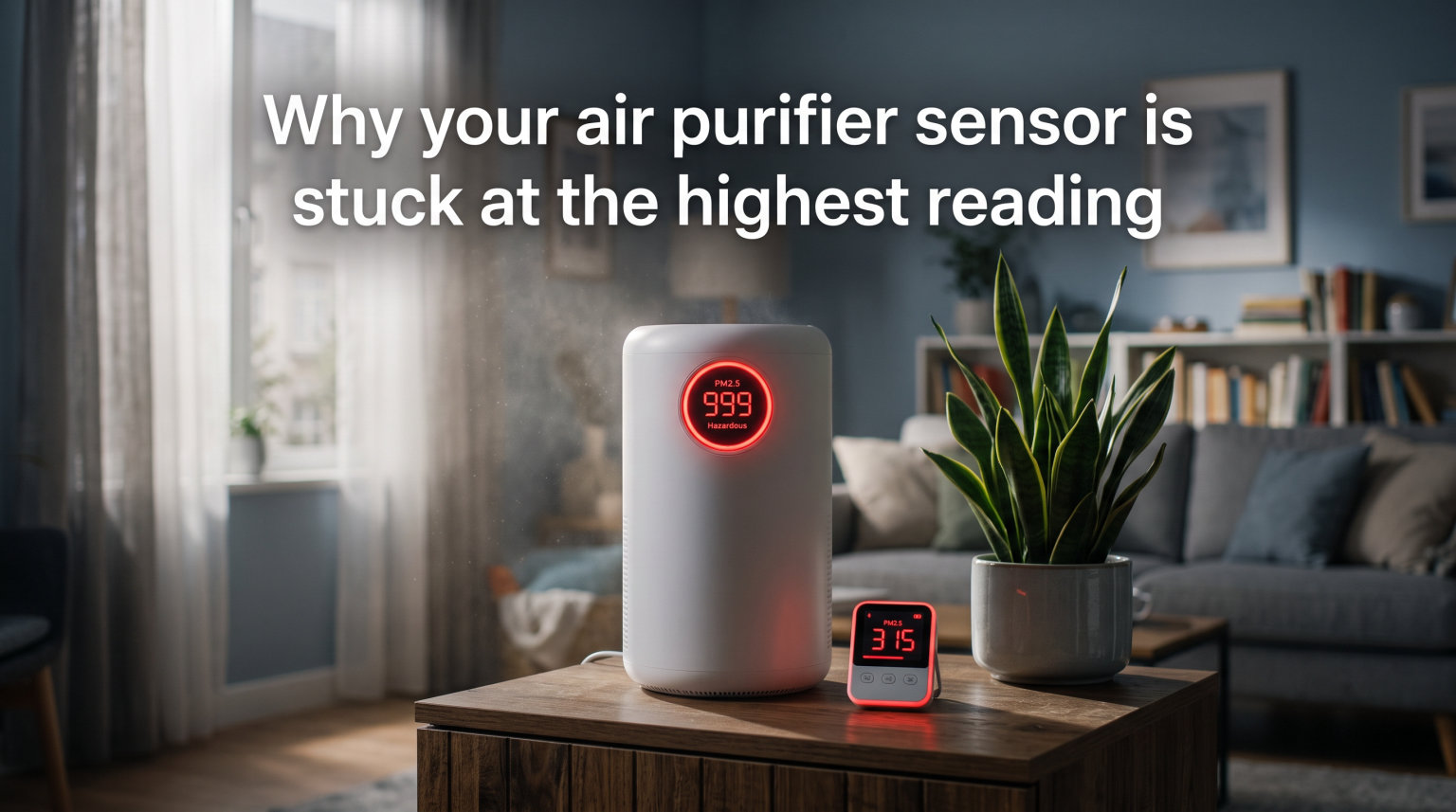
If you have ever glanced at your air purifier and noticed the air quality reading pinned at the worst possible level, even though the room smells fine and the windows have been closed for hours, you are far from alone. This is one of the most common frustrations air purifier owners run into. The good news is that it almost always has a straightforward fix.
An air purifier sensor stuck at the highest reading typically means the internal PM2.5 laser sensor is coated with dust or debris. Instead of measuring your actual room air, the sensor ends up measuring the gunk sitting on its own lens. The result is a falsely high reading that keeps your purifier running at full blast and your electric bill climbing.
Our team has dug through hundreds of forum threads on Reddit, manufacturer support pages, and community repair videos to figure out exactly why this happens and how to fix it. In the vast majority of cases, a 10-minute cleaning gets everything back to normal. In rarer cases, the issue points to high humidity, a clogged filter, a firmware glitch, or air quality that genuinely is poor.
This guide walks through every possible reason your air purifier sensor is stuck at the highest reading, starting with the most likely culprit and ending with a simple maintenance routine that keeps the problem from coming back. Whether you own a Shark, Coway, Dyson, Blueair, Levoit, or a budget brand from Amazon, the same principles apply across the board.
Let’s start with the quick answer, then dig into the technical details.
Table of Contents
In a Nutshell: Why Your Air Purifier Sensor Is Stuck at the Highest Reading
Your air purifier sensor is stuck at the highest reading because dust, debris, or moisture has built up inside the sensor chamber. The sensor uses a laser beam to count particles passing through a small opening. When that opening gets dirty, the laser scatters incorrectly and the device reports terrible air quality even when your room is actually clean.
The fix in almost every case is simple. Turn off and unplug the unit, locate the sensor openings (usually small holes on the side or back of the device), and clean them with compressed air, a soft vacuum brush attachment, or a dry cotton swab. Many Shark, Coway, and Dyson owners report this single step resolves the issue immediately.
Other possible causes include high humidity or cooking steam triggering false readings, poor unit placement near dust sources, a clogged HEPA filter pushing dirty air past the sensor, or a firmware bug in smart purifiers with app connectivity. We will cover all of these in detail below, along with step-by-step instructions for each fix so you can work through them in order.
How Air Purifier Sensors Actually Work
To understand why sensors get stuck, it helps to know what is happening inside the device. Most modern air purifiers use a laser scattering PM2.5 sensor to estimate air quality in real time. This is the same basic technology found in professional air quality monitors, just scaled down to fit inside a consumer appliance.
Inside the sensor chamber, a small laser beam shines across a narrow gap. A light detector sits on the opposite side of that gap. As room air flows through the chamber, particles floating in that air scatter the laser light in different directions. The detector measures how much light bounces off those particles, and the purifier’s processor converts that measurement into an air quality reading.
More particles mean more scattered light, which translates to a higher AQI number, a redder indicator light, and a faster fan speed. Fewer particles mean less scatter, a lower number, and a calmer, quieter fan. The system is elegant in theory, but it depends entirely on a clean sensor chamber to function accurately.
Here is where the trouble starts. The same air the sensor samples carries dust, pollen, pet dander, and other particles. Over weeks and months of operation, some of that dust settles inside the sensor chamber itself and sticks to the internal components. Once dust coats the laser lens or the detector window, the light scatters unpredictably.
The sensor interprets this extra scatter as high particle levels in your room, and your reading climbs to the top and stays there. This is why a dirty sensor almost always produces a falsely high reading rather than a falsely low one. The dust adds scatter, and scatter looks exactly like particles to the detector.
Reason One: A Dirty Sensor (The Most Common Cause)
A dirty sensor accounts for the vast majority of stuck-at-high readings. We have seen this confirmed across dozens of forum posts, manufacturer support pages, and repair videos. When dust builds up inside the sensor chamber, the laser reads that dust as airborne particles and never lets the reading drop back down.
The telltale signs are easy to spot once you know what to look for. Your purifier shows red or a high AQI number constantly, the fan runs at maximum speed even in a freshly cleaned room, and the reading never responds to opening a window or letting the unit run for an extended period. If you have vacuumed, dusted, changed the filter, and the reading still will not budge, a dirty sensor is almost certainly to blame.
Reddit users on r/AirPurifiers report the same pattern again and again. One user described vacuuming the back dust sensor on their Shark unit after turning the device off, and the reading corrected itself immediately. Others recommend dry tissues, cotton swabs, or short bursts of compressed air aimed directly at the sensor openings. These fixes cost nothing and take only a few minutes.
The sensor is usually located on the side or back of the unit, behind a small grille or set of holes. On Shark models equipped with Clean Sense IQ, it is often near the base of the unit. On Coway units, look for a small vertical slot on the side panel. Dyson models tuck the sensor behind a cover that may need a gentle pry to access. Blueair units typically have the sensor grille on the lower back side.
If you cannot find the sensor, check your manual or search YouTube for your exact model number plus the phrase “sensor location.” Most manufacturers include a diagram showing where the air quality sensor intake sits.
Step-by-Step: How to Clean Your Air Quality Sensor
Follow these steps in order. The whole process takes about 10 minutes and requires only a can of compressed air and a dry cotton swab or toothpick.
Step 1: Turn off and unplug the air purifier completely. This step is non-negotiable for your safety, since you will be working near internal components.
Step 2: Locate the sensor openings on your unit. These are typically small holes or a narrow slot on the side or back. Refer to your manual if you are unsure which grille houses the PM2.5 sensor.
Step 3: Use compressed air to blow out the chamber. Hold the can upright and give 2 to 3 short bursts into each opening. This dislodges loose dust from the laser lens and the detector window inside the chamber.
Step 4: Vacuum the exterior around the sensor. Use a soft brush attachment to gently remove dust buildup around the sensor grille and the surrounding housing.
Step 5: For stubborn dust that compressed air cannot dislodge, use a dry cotton swab or a toothpick wrapped in a dry tissue. Gently insert it into the sensor holes and twist to pick up debris. Never use water, cleaning sprays, or liquids of any kind inside the sensor chamber.
Step 6: Plug the unit back in and let it run for 5 to 10 minutes in a clean room. The reading should begin to drop as the freshly cleaned sensor samples cleaner air.
If the reading drops after cleaning, you have confirmed the problem and solved it. If it does not budge at all, move on to the next potential causes outlined below.
Reason Two: Humidity and Steam Triggering False Readings
Laser PM2.5 sensors cannot reliably distinguish between solid particles and liquid droplets in the air. When humidity is high or steam fills the room, water droplets pass through the sensor chamber and scatter light exactly like dust would. The result is a falsely high reading that looks identical to genuine air pollution.
This issue is especially common in kitchens, bathrooms, and homes in naturally humid climates. If your purifier sits near the stove, even boiling a pot of water or running the dishwasher can trigger a sudden spike. Users frequently report readings that climb during meal preparation and drop back down 20 to 30 minutes after cooking ends.
Some higher-end sensors include humidity compensation algorithms to filter out this effect, but many budget and mid-range purifiers do not. If your reading spikes predictably during cooking, showering, or rainy weather, humidity is very likely the cause rather than actual particulate pollution.
To test this theory, move the purifier to a different room for an hour and see if the reading normalizes. If it drops in the new location, placement relative to moisture sources is your issue. Keep the unit at least 10 feet away from stoves, showers, humidifiers, and dishwasher vents whenever possible.
If humidity is a persistent problem throughout your home, running a standalone dehumidifier alongside your air purifier can help both devices perform more accurately. Aim for indoor humidity between 30 and 50 percent for the best sensor reliability.
Reason Three: Poor Placement Confusing the Sensor
Where you position your air purifier has a direct and measurable effect on sensor accuracy. If the unit sits next to a concentrated dust source, a vent blowing dirty air, or in a corner with poor circulation, the sensor may pick up localized pollution that does not represent the rest of the room at all.
Common placement mistakes include putting the purifier directly on the floor where settled dust accumulates, pushing it flat against a wall so the sensor opening faces a layer of trapped dust, or placing it near a litter box, ashtray, or HVAC return vent. Each of these scenarios can keep the reading artificially high even when the broader room air is clean.
Forum users on r/AirQuality recommend keeping at least 1 to 2 feet of clearance on all sides of the unit. The sensor needs to sample freely circulating room air, not air trapped against a surface or channeled through a dusty gap. Elevating the unit on a low table or sturdy stand can also help, especially in rooms with carpeting that sheds fibers near floor level.
Try repositioning the purifier to a central spot with good airflow and watch the reading for 15 to 20 minutes. A genuine placement problem will show a clear, noticeable improvement once the unit samples cleaner, better-circulated air from a better location.
Reason Four: A Clogged or Damp Filter Disrupting Airflow
Your air purifier’s filter plays a bigger role in sensor readings than most people realize. A clogged or saturated HEPA filter restricts airflow through the entire unit, which means less air reaches the sensor chamber. When airflow drops, stale or partially contaminated air can linger near the sensor and inflate the reading.
A damp filter causes similar problems from a different angle. If the filter has absorbed moisture from high humidity or an accidental spill, it can release previously trapped particles back into the airstream passing through the unit. The sensor then picks up those re-released particles and reports poor air quality that is actually coming from inside the purifier itself.
If you have cleaned the sensor and installed a fresh filter recently but the reading is still stuck high, double-check whether the new filter was installed correctly. A filter that is loose, installed backwards, or missing its sealing gasket can allow unfiltered air to bypass the HEPA media entirely, feeding dirty air straight to the sensor.
The fix is straightforward. Replace filters on the manufacturer’s recommended schedule, usually every 6 to 12 months depending on usage and air quality in your area. If a filter feels damp, remove it and let it dry completely for 24 hours before reinstalling. Make sure it seats firmly and that any locking tabs or latches click securely into place.
Reason Five: The Sensor Needs a Reset or Recalibration
Sometimes the sensor hardware is perfectly fine, but the internal software has drifted out of calibration. Many air purifiers allow you to reset the air quality sensor to restore factory baseline behavior. This step is worth trying after you have cleaned the sensor and confirmed the filter is in good shape.
The reset process varies significantly by brand. On many Coway models, you hold the air quality indicator button for several seconds until the colored lights cycle through their full range. Shark units with Clean Sense IQ may require a full power cycle where you unplug the unit for 60 seconds and plug it back in. Dyson models often have a sensor reset buried in the app settings or triggered by holding a specific combination of buttons on the remote control.
Check your manual for the exact reset sequence for your model. If you have lost the physical manual, manufacturer support pages and YouTube tutorials for your specific model number usually cover the reset steps clearly and in under two minutes of video.
After resetting, give the purifier 10 to 15 minutes to re-sample the room air and settle into a new baseline. The reading should stabilize at a more reasonable level if calibration drift was the issue. If it immediately jumps back to maximum after the reset, the problem is likely physical rather than software-related, and you should focus on cleaning and filter checks.
Reason Six: Your Air Might Actually Be Poor
Before assuming the sensor is broken, consider the real possibility that it is telling you the truth. Indoor air quality can be far worse than we perceive with our senses, especially during wildfire season, home renovation projects, or periods of high outdoor pollution that seeps indoors.
A sensor reading of 100 to 150 on the AQI scale might feel alarming at first glance, but it can be entirely accurate if you have been cooking with gas, cleaning with chemical sprays, or if pollen counts are high outside. Scented candles, incense, essential oil diffusers, and even a laser printer running in a small home office can push particle counts into the range that triggers a red indicator on your purifier.
The best way to confirm whether the reading is accurate is to cross-check with a standalone air quality monitor. These independent devices cost between $30 and $80 and give you a second reading to compare against your purifier’s built-in sensor. If both devices show similar numbers in the same room, your air genuinely needs cleaning and the purifier is simply doing its job.
If the standalone monitor reads low while the purifier reads high, you have confirmed a sensor problem on the purifier itself. This simple comparison is one of the most overlooked troubleshooting steps, and it removes all guesswork from the diagnostic process.
Keep in mind that budget purifier brands often use lower-quality sensors that overreact to minor particle levels. If you have verified the air is clean through an independent monitor and the purifier sensor still will not come down, you may be dealing with sensor limitations rather than a fixable fault.
Reason Seven: Firmware Bugs in Smart Purifiers
Smart air purifiers with Wi-Fi connectivity and companion smartphone apps add another layer of potential trouble on top of everything else. Firmware bugs, sync errors, and app glitches can cause the displayed air quality reading to freeze or show incorrect values even when the physical sensor inside the unit is working perfectly fine.
Users of connected models from Dyson, Levoit, and Wyze have all reported readings that get stuck at 999 or show persistent red indicators after an app update or a network disruption. In some cases, the purifier’s physical onboard display shows one value while the app on your phone shows a completely different number. That mismatch is a strong sign of a software communication issue rather than a hardware fault.
The first troubleshooting step for any smart purifier is to check for available firmware updates. Open the companion app, navigate to the device settings menu, and install any pending updates. Manufacturers frequently patch sensor reporting bugs and improve reading stability through these updates, so running outdated firmware can directly cause stuck readings.
If updating the firmware does not help, try removing the device from the app entirely and re-pairing it from scratch. This forces a fresh connection and often clears cached readings that have become frozen in the system. A full factory reset through the app is a more drastic option, but it resolves persistent firmware glitches when nothing else has worked.
For app-connected units, also verify that your home Wi-Fi connection is stable and that the purifier sits within good range of your router. A purifier that keeps dropping its network connection may fail to report current readings accurately, leaving you staring at stale data that no longer reflects the real conditions in your room.
How to Tell a Real Alert From a False One
Distinguishing a genuine air quality problem from a faulty sensor reading saves time, money, and unnecessary frustration. Once you know the patterns to watch for, the difference between the two becomes obvious within minutes of observation.
A false reading tends to be static and unchanging. It stays at the maximum level regardless of what is happening in the room, never dips when you open a window to let in fresh air, and does not respond to the purifier running at full speed for hours on end. The number feels frozen in place rather than dynamic and responsive.
A real reading, even a genuinely high one, fluctuates over time. It spikes upward when you cook dinner, rises when you open the front door during high-pollen days, and gradually drops as the purifier works through its cleaning cycle. If the number moves up and down in response to actual activities in the room, the sensor is doing its job correctly.
Here is a quick diagnostic checklist our team recommends working through whenever you suspect a stuck sensor. These five questions will point you toward the right answer faster than guessing.
First, does the reading change at all over a 30-minute observation period? If the answer is no, suspect a stuck or dirty sensor that needs cleaning.
Second, does it spike during cooking, cleaning, or other particle-generating activities? If yes, the sensor is responding to real particles and working as intended.
Third, does moving the unit to another room change the reading within 15 minutes? If yes, placement relative to a localized pollution source is the core issue.
Fourth, does the reading drop noticeably after you clean the sensor? If yes, accumulated dust was the culprit all along.
Fifth, does a standalone air quality monitor agree with the purifier’s reading? If yes, your air genuinely needs attention and the purifier is accurately reporting conditions.
Work through this checklist before replacing parts or contacting manufacturer support. In the majority of cases, the answer surfaces within the first two or three checks, and the fix takes minutes rather than days of back-and-forth troubleshooting.
The pattern matters more than the absolute number on the display. A sensor that reacts to its environment is working. A sensor frozen at one value, whether that value is high or low, almost always needs attention.
A Simple Maintenance Routine to Prevent Future Problems
Once you have resolved the immediate stuck-reading problem, a light maintenance routine keeps your sensor reading accurately for months on end. None of these steps takes long, and each one extends the useful life of both the sensor and the filter.
Clean the sensor openings every 2 to 4 weeks as part of your regular cleaning schedule. A quick blast of compressed air or a pass with the vacuum brush attachment takes under a minute and prevents the gradual dust buildup that causes most stuck readings in the first place.
Replace filters on schedule without exception. Most HEPA filters last 6 to 12 months, but check your manual for the specific replacement interval for your exact model. A clogged filter does not just reduce cleaning performance, it also directly affects how much air reaches the sensor for sampling.
Keep the purifier in a well-ventilated spot with good clearance on all sides. Avoid tight corners, floor-level placements in dusty rooms, and proximity to humidity sources like showers and stoves. Good placement keeps both the filter and the sensor working as the manufacturer intended.
Wipe down the exterior of the unit weekly with a dry cloth. Dust on the outside eventually works its way inside through the air intake, so a quick wipe prevents buildup near the sensor grille and other sensitive openings.
Finally, if you live in a particularly dusty or humid environment, consider running a standalone air quality monitor alongside your purifier on a permanent basis. Having a second, independent reference point makes it easy to spot sensor drift early, long before it becomes a frustrating stuck reading that sends you searching for answers.
FAQs
Why is my air purifier reading so high?
Your air purifier is reading high most likely because dust has built up inside the PM2.5 sensor chamber, causing the laser to scatter incorrectly and report falsely high particle levels. Other common causes include high humidity, cooking steam, a clogged HEPA filter, poor unit placement, or a firmware glitch in smart purifiers. Cleaning the sensor with compressed air resolves the issue in most cases.
How do I reset my air quality sensor?
The reset process varies by brand. On Coway models, hold the air quality indicator button until the lights cycle. On Shark units with Clean Sense IQ, unplug the device for 60 seconds and plug it back in. On Dyson models, check the companion app settings or hold a button combination on the remote. Always clean the sensor before resetting, since a reset cannot fix a physically dirty sensor chamber.
Why is my air purifier stuck at 999?
A reading stuck at 999 usually means the PM2.5 sensor is saturated with dust or the firmware has a reporting glitch. This is common on Dyson and other smart purifiers after app updates. Turn off the unit, clean the sensor chamber with compressed air, check for firmware updates in the app, and restart the device. If the number remains at 999, try removing and re-pairing the device in the app.
How do I clean my air purifier sensor?
Turn off and unplug the purifier. Locate the sensor openings, usually small holes on the side or back. Blow 2 to 3 short bursts of compressed air into each opening to dislodge loose dust. Vacuum the exterior with a soft brush attachment. For stubborn dust, gently insert a dry cotton swab or toothpick wrapped in dry tissue into the holes. Never use liquids inside the sensor chamber. Plug the unit back in and let it run for 5 to 10 minutes.
Why is my air purifier constantly red?
A constantly red indicator means the sensor is detecting high particle levels that never drop. The most common cause is dust buildup inside the sensor chamber itself. Other causes include high humidity, proximity to cooking steam, a damp or clogged filter, or genuinely poor air quality from smoke, pollen, or renovation dust. Clean the sensor first, then check placement and filter condition if the red light persists.
How often should I clean my air purifier sensor?
Clean your air purifier sensor every 2 to 4 weeks as part of your regular cleaning routine. If you live in a dusty environment, have pets, or run the purifier constantly, clean it every 1 to 2 weeks. A quick blast of compressed air or a pass with a vacuum brush attachment takes under a minute and prevents the gradual buildup that causes most stuck readings.
Wrapping Up: Fixing an Air Purifier Sensor Stuck at the Highest Reading
An air purifier sensor stuck at the highest reading is almost always a cleaning issue rather than a broken device. Dust inside the sensor chamber scatters the laser light and produces falsely high numbers, and a 10-minute cleaning with compressed air or a dry cotton swab fixes the problem in most cases without any replacement parts.
Work through the causes in order to find your specific issue: clean the sensor, check placement, inspect the filter, try a reset, and cross-check with a standalone monitor if you are still unsure. The answer almost always surfaces within the first couple of steps.
Once you have resolved the issue, a simple monthly cleaning routine keeps the sensor reading accurately and your purifier running efficiently for years to come. No matter which brand you own, a clean sensor is the single biggest factor in getting trustworthy air quality readings from your device.